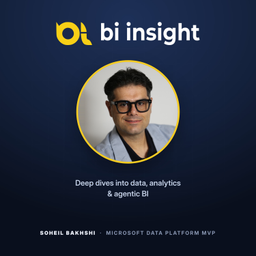
BI Insight: Deep Dives into Data, Analytics & Agentic BI
Soheil Bakhshi | BI Insight
- 12
- Episodes
- Weekly
- Cadence
- 2026
- First episode
About BI Insight: Deep Dives into Data, Analytics & Agentic BI
BI Insight is a technical show about data, analytics and agentic BI, hosted by Soheil Bakhshi, Microsoft Data Platform MVP. Each episode is a deep dive into how something actually works: Power BI and Microsoft Fabric, DAX and Power Query, data modelling, governance and capacity, and the new wave of agentic AI and Copilot tooling. This is a place for careful thinking, not quick takes. Every episode explains what is happening, why it matters, and how it holds up in practice. Companion to the articles and videos at biinsight.com.
- Publisher
- Soheil Bakhshi | BI Insight
- Category
- technology
- Language
- en
- Explicit
- No
- First episode
- 8 Sept 2026
- Latest episode
- 23 Oct 2026
Latest episodes
12 episodes in the feed.
23 Oct 2026
Claude Dashboards on Power BI: Beyond the AI Hype | RLS, Security & Real-World Gotchas
Can Claude build interactive dashboards directly on top of Power BI semantic models? Absolutely! But does that mean these dashboards are ready for real business environments? In this episode of BI Insight, we go beyond the AI hype and critically examine Claude Dashboards, their integration with Microsoft Fabric and Power BI, and the important gotchas that are easy to overlook when watching impressive AI demonstrations. Based on Soheil Bakhshi's hands-on investigation, we discuss how Claude uses the Power BI MCP server and DAX queries to generate interactive dashboards without exporting or copying the underlying datasets. But building a dashboard is only part of the story. What happens when we introduce Row-Level Security (RLS), user permissions, sharing, and multiple Fabric tenants? We explore one of the most important findings: RLS works, but not necessarily the way you would expect when sharing Claude Dashboards with other users. We also discuss Read vs Build permissions, authentication, governance, and why something that works perfectly in a demonstration might not be practical in production. And of course, we ask the bigger questions: Can Claude Dashboards replace Power BI reports? Are they a serious competitor to Microsoft Fabric Apps? Or do they serve a completely different purpose? This is not another podcast celebrating how quickly AI can generate dashboards. It is a discussion about what actually works, what doesn't, and why understanding the limitations is just as important as exploring the possibilities. 🎬 Watch the original video, including the complete step-by-step setup and demonstrations on YouTube (https://youtu.be/27sGekTfBas?si=GB_fh6weDP6PqQl-) or here on Spotify (https://open.spotify.com/episode/3RDAFGZfiJ7l7gyZuGYkhM?si=FMIOsRN6SYO-fOI8BHcfnw). 🌐 Blog: https://biinsight.com 📚 Book: Expert Data Modeling with Power BI, 2nd Edition (https://amzn.to/437WI1L) 💼 LinkedIn: https://www.linkedin.com/in/bakhshi/ 🦋 Bluesky: https://bsky.app/profile/biinsight.com 𝕏: https://x.com/_SoheilBakhshi Topics: Claude AI, Claude Dashboards, Power BI, Microsoft Fabric, Semantic Models, Model Context Protocol (MCP), DAX, Row-Level Security (RLS), Microsoft Entra ID, Data Security, Fabric Apps, AI Dashboards, Business Intelligence, Enterprise AI.
22 Oct 2026
Build Claude Dashboards on Power BI Semantic Models | Step-by-Step
Can Claude build live, interactive dashboards directly on top of Power BI semantic models? Yes, it can! But building a dashboard is one thing, making it work in a real business environment is another. In this episode of BI Insight, we take a deep dive into Claude Dashboards and their integration with Microsoft Fabric and Power BI. We explore how Claude uses the Power BI MCP server to query semantic models using DAX, without exporting or copying the underlying data. We walk through the setup step by step, from registering an application in Microsoft Entra ID and configuring Fabric tenant settings to creating a custom connector in Claude and generating an interactive dashboard using natural language. But the interesting part starts when we look at Row-Level Security (RLS), user permissions, and dashboard sharing. While RLS works, there is an important catch with the identity used by the connector. We also investigate Read vs Build permissions, connecting to multiple Fabric tenants, and the limitations you should understand before considering this approach for production environments. And of course, the big questions: Can Claude Dashboards replace Power BI reports? Can they compete with Microsoft Fabric Apps? Are they actually practical for enterprise use? This episode goes beyond generating a dashboard. It is about understanding what works, what doesn't, and the gotchas that come with it. 🎬 Watch the full video demonstration: https://www.youtube.com/@BI.Insight 🌐 Blog: https://biinsight.com 📚 Book: Expert Data Modeling with Power BI, 2nd Edition 💼 LinkedIn: https://www.linkedin.com/in/bakhshi/ 🦋 BlueSky: https://bsky.app/profile/biinsight.com 𝕏: https://x.com/_SoheilBakhshi Topics: Claude AI, Claude Dashboards, Power BI, Microsoft Fabric, Semantic Models, MCP, DAX, Row-Level Security, RLS, Microsoft Entra ID, Fabric Apps, AI Dashboards, Business Intelligence.
20 Oct 2026
Old Dogs, Smart Tricks: Sort Power BI Matrix Columns in Descending Order
I first shared this Power BI workaround in 2020. In 2026, a customer needed the same solution. Some things age very well. Welcome to Old Dogs, Smart Tricks, my new series revisiting older techniques that still solve real reporting problems. Short, practical and straight to the point. In this episode, I explain how to sort Matrix column headers in descending year order, without changing the sorting behaviour of other visuals. Watch the full YouTube walkthrough (https://www.youtube.com/watch?v=-wGbu8mxQMQ) Read the original blog post (https://biinsight.com/quick-tips-how-to-sort-matrix-by-column-in-descending-order/)
18 Oct 2026
Power BI Matrix: Still Using a Workaround to Sort by Columns in 2026
Have you ever wanted to sort the column headers of a Power BI Matrix in descending order, so the latest year appears first? I first shared a workaround for this in March 2020. In October 2026, a customer needed the same thing. Same requirement. Same workaround. Apparently, some things age very well. In this first episode of Old Dogs, Smart Tricks, I revisit the solution in a full video walkthrough. What you will learn: How to display Matrix column headers in descending year order. How to create a separate year column and a negative year sort column. How to apply Sort by Column and update the Matrix. Why I keep the original year column unchanged for other visuals. Alternatives for creating these columns in Power Query or a Microsoft Fabric Lakehouse or Warehouse. About the series Old Dogs, Smart Tricks is a new BI Insight blog and video series revisiting older techniques that still solve real reporting problems. Not every useful tip needs to come from this month's release notes. Watch the full video on YouTube (https://www.youtube.com/watch?v=-wGbu8mxQMQ) Read the original blog post: How to Sort Matrix by Column in Descending Order (https://biinsight.com/quick-tips-how-to-sort-matrix-by-column-in-descending-order/) Explore more from BI Insight (https://biinsight.com) Do you use a different approach to sort Matrix column headers? Share your thoughts, I am interested to hear your examples.
23 Sept 2026
Create Power BI Reports for D365 Business Central - Sales
Are you looking for a Power BI Business Central tutorial that shows you exactly how to build Sales Reports and Dashboards step by step? In this video, I show you how to connect Dynamics 365 Business Central (D365 BC) to Power BI, model your data, and use Copilot to analyse your sales performance faster and smarter. What You’ll Learn: ✅ How to connect D365 Business Central to Power BI the right way ✅ How to create professional Sales Reports and Dashboards ✅ How to use Copilot in Power BI for faster insights ✅ Data transformation, data modelling and performance tips Whether you are new to Power BI or already using D365 BC, this Power BI Business Central tutorial will help you build insightful reports and take your sales analytics to the next level. 🔊 A big shout out to my fellow Business Central experts whose support was instrumental in building the Power BI report. This video wouldn’t have been possible without their collaboration:🗣️ Tharanga Chandrasekara (https://www.linkedin.com/in/tharangac/)🗣️ ManMohan Bhatt (https://www.linkedin.com/in/manmohan-bhatt-334b048/) 🌐 Related blog post coming soon. 📙 Purchase my book, "Expert Data Modeling with Power BI, 2nd Edition" here (https://amzn.to/437WI1L). 🎙️ Follow BI Insight 🌐 BI Insight (https://biinsight.com/) ▶️ YouTube (https://www.youtube.com/@BIInsight?sub_confirmation=1) 💼 LinkedIn (https://www.linkedin.com/in/soheilbakhshi/) 🦋 BlueSky (https://bsky.app/profile/biinsight.com) 𝕏 X (https://x.com/biinsightnz) 🟠 Reddit (https://www.reddit.com/user/soheilbakhshi/) 🌐 Useful Links: 🔗 Data types in Power Query (https://learn.microsoft.com/en-us/power-query/data-types?WT.mc_id=DP-MVP-5003466) 🔗 Power BI Sales Measures for D365 Business Central (https://github.com/SoheilBakhshi/PublicRepo/blob/c9b286fc6314350aa94df8f4630006d145ef567b/Power%20BI%20Measures%20for%20D365%20Business%20Central%20Sales.dax) Music by: CreatorMix.com Song: Moth
22 Sept 2026
Agentic AI in Power BI and Fabric, Part 1: Concepts, Terminology, and How to Think About It
In this first episode of the Agentic AI in Power BI and Fabric series, we start with the foundations: what Agentic AI actually is, the terminology around it, and how to think about it in the context of Power BI and Microsoft Fabric. There is a lot of noise around AI agents, agentic workflows, tools, reasoning, autonomy, and Human in the Loop. Before jumping into implementations, MCP servers, GitHub Copilot, and AI-assisted development, it is important to understand what these concepts actually mean and how they fit together. We look at the difference between traditional AI interactions and more agentic approaches, where an AI system can reason about a goal, create a plan, use available tools, take actions, evaluate the results, and continue working towards the objective. But agentic AI does not necessarily mean giving AI unlimited autonomy. Human oversight, clearly defined tools, context, instructions, permissions, and checkpoints are all important parts of building reliable agentic workflows. These ideas become especially important when AI starts interacting with real Power BI and Microsoft Fabric environments. The key takeaway from this episode is simple: Agentic AI is not just about asking AI better questions. It is about giving AI the context, tools, and controlled autonomy to work towards a goal. 📖 Read the full Part 1 blog (https://biinsight.com/agentic-ai-in-power-bi-and-fabric-part-1-concepts-terminology-and-how-to-think-about-it/) ➡️ Continue with Part 2: Getting Started with VS Code, GitHub Copilot, and Safe MCP Setup (https://open.spotify.com/episode/2CcbwDhA78DkL4lChAWFeo?si=aA_GfOboRmyZb2ijRjdP5w) Part 2 moves from the concepts into the practical setup. We start preparing the environment with VS Code and GitHub Copilot, introduce MCP servers, and look at how to connect AI agents to external tools safely before allowing them to interact with real Power BI and Microsoft Fabric environments. Follow BI Insight on Spotify to continue the series and explore more content around Power BI, Microsoft Fabric, data analytics, and Agentic AI. 🎙️ Follow BI Insight 🌐 BI Insight (https://biinsight.com/) ▶️ YouTube (https://www.youtube.com/@BIInsight?sub_confirmation=1) 💼 LinkedIn (https://www.linkedin.com/in/soheilbakhshi/) 🦋 BlueSky (https://bsky.app/profile/biinsight.com) 𝕏 X (https://x.com/biinsightnz) 🟠 Reddit (https://www.reddit.com/user/soheilbakhshi/)
22 Sept 2026
Agentic AI in Power BI and Fabric, Part 2: Getting Started with VS Code, GitHub Copilot, and Safe MCP Setup
Agentic AI in Power BI and Fabric, Part 2 In Part 1 of this series, I introduced the concepts, terminology, and mental models behind Agentic AI. In Part 2, we move from understanding those concepts towards how they can actually be applied in the Power BI and Microsoft Fabric world. This episode continues exploring what Agentic AI means for data and analytics professionals, and how AI agents, tools, context, instructions, and human oversight can work together as part of a structured workflow. The goal of this series is not about replacing Power BI or Fabric professionals with AI. It is about understanding where agentic workflows can genuinely help us, what role the human still plays, and how these technologies can become part of the way we build and manage analytics solutions. 📖 Read the full Part 2 article on BI Insight (https://biinsight.com/agentic-ai-in-power-bi-and-fabric-part-2-getting-started-with-vs-code-github-copilot-and-safe-mcp-setup/) 🎧 Continue the Agentic AI in Power BI and Fabric series ⬅️ Part 1: Concepts, Terminology, and How to Think About It (https://open.spotify.com/episode/3UGHdV5pgLTfigeWmfNdrg?si=d5monyRyQsC6hh63bkyNEg) ➡️ Part 3: Agentic AI in Action with GitHub Copilot and Power BI Modeling MCP (https://open.spotify.com/episode/27gElhV6g2s5qX9dJjrRFU?si=-jNXIvvxRg-N1DD6Tb5xUw) Part 3 takes these ideas into a practical workflow using Visual Studio Code, GitHub Copilot, Power BI Modeling MCP, structured prompting, and human oversight. 🎙️ Follow BI Insight 🌐 BI Insight (https://biinsight.com/) ▶️ YouTube (https://www.youtube.com/@BIInsight?sub_confirmation=1) 💼 LinkedIn (https://www.linkedin.com/in/soheilbakhshi/) 🦋 BlueSky (https://bsky.app/profile/biinsight.com) 𝕏 X (https://x.com/biinsightnz) 🟠 Reddit (https://www.reddit.com/user/soheilbakhshi/)
22 Sept 2026
Agentic AI in Power BI and Fabric, Part 3: Agentic AI in Action with GitHub Copilot and Power BI Modeling MCP
In this episode of the Agentic AI in Power BI and Fabric series, we move from setting things up into actually putting agentic AI to work. I walk through a practical Power BI modelling scenario using GitHub Copilot, VS Code, and the Power BI Modeling MCP Server. The semantic model has 54 measures spread across multiple tables, and the goal is to let the AI agent inspect the model, create a dedicated measure table, organise the measures into meaningful display folders, and apply the changes directly to the model. But the interesting part is not simply whether AI can do the job. We look at the complete workflow using Ask, Plan, and Agent modes, with Human in the Loop checkpoints along the way. The agent plans the work, creates working documents and guardrails, uses the MCP server to interact with the semantic model, and pauses for approval before making important changes. And, as you will hear, everything does not necessarily come out perfect the first time. That is part of working with agentic AI too. The key takeaway from this episode is simple: Agentic AI works best when the task is specific, the tools are clear, and the checkpoints are real. 📖 Read the full Part 3 blog (https://biinsight.com/agentic-ai-in-action-with-github-copilot-and-power-bi-modeling-mcp/) ⬅️ Part 2: Getting Started with VS Code, GitHub Copilot, and Safe MCP Setup (https://open.spotify.com/episode/2CcbwDhA78DkL4lChAWFeo?si=csjvGFagSQy98VT1sOuMNA) ➡️ Continue with Part 4: From Skills to an Agentic Report Theme Audit Workflow (https://open.spotify.com/episode/2qnt4ePjqgG6B7COZwbydt?si=TCYmNZA2QRWin7SvimpgVQ) Part 4 takes the idea further. Instead of working with one semantic model and one MCP server, we move into a much more advanced agentic workflow using multiple Agent Skills to audit and standardise Power BI report themes across an entire Microsoft Fabric workspace. Follow BI Insight on Spotify to continue the series and explore more content around Power BI, Microsoft Fabric, data analytics, and Agentic AI. 🎙️ Follow BI Insight 🌐 BI Insight (https://biinsight.com/) ▶️ YouTube (https://www.youtube.com/@BIInsight?sub_confirmation=1) 💼 LinkedIn (https://www.linkedin.com/in/soheilbakhshi/) 🦋 BlueSky (https://bsky.app/profile/biinsight.com) 𝕏 X (https://x.com/biinsightnz) 🟠 Reddit (https://www.reddit.com/user/soheilbakhshi/)
16 Sept 2026
Microsoft Fabric Apps Business vs Data Apps, Sharing and Licensing
Microsoft Fabric Apps: Business vs Data Apps – What’s the Difference? What is really different between a Microsoft Fabric Business App and a Data App? And how do those differences affect architecture, sharing, permissions, licensing and Fabric capacity? In this AI-generated BI Insight podcast, the hosts explore my original content on Microsoft Fabric Apps and discuss the two quite different application patterns. The conversation starts with the Business App pattern, where Fabric Apps can provide the application backend and a Fabric-managed SQL database. It then moves into Data Apps, where an existing Power BI semantic model becomes the analytical foundation for a custom application experience. Topics discussed include: Business Apps vs Data Apps Transactional vs analytical application patterns Fabric-managed SQL databases Existing Power BI semantic models Architecture differences Sharing and semantic model permissions Read vs Build permission considerations Execute Queries / DAX API requirements Licensing and Fabric capacity Current preview limitations and gotchas When each Fabric Apps pattern makes sense 🎧 About this episode This podcast was AI-generated using Gemini Notebook from my own BI Insight content and research. It provides a conversational audio version of the topic, making it easier to catch up while driving, walking or simply away from the screen. 🎬 Watch the original video Microsoft Fabric Apps: Business vs Data Apps – What’s the Difference? (https://open.spotify.com/episode/5WteBVtIzIDoRtESHlqMnj?si=ay048A5oTPOaYI91z2QpfA) 📘 My Book Expert Data Modelling with Power BI (https://www.amazon.co.uk/dp/1836645550) 🌐 Follow BI Insight Website: BIInsight.com (https://biinsight.com) YouTube: Subscribe to BI Insight (https://www.youtube.com/@BIInsight?sub_confirmation=1) Spotify: Follow BI Insight on Spotify (https://open.spotify.com/show/7APOPvwa72b2hXqfhoqGBv) LinkedIn: Follow me on LinkedIn (https://www.linkedin.com/in/soheilbakhshi/) BlueSky: Follow BI Insight on BlueSky (https://bsky.app/profile/biinsight.com) X: Follow BI Insight on X (https://x.com/biinsightnz) Reddit: Follow me on Reddit (https://www.reddit.com/user/soheilbakhshi/) #MicrosoftFabric #FabricApps #DataApps #BusinessApps #PowerBI #SemanticModels #DataAnalytics #BusinessIntelligence #AI #GenAI #BIInsight
14 Sept 2026
Agentic AI in Power BI and Fabric, Part 4 From Skills to an Agentic Report Theme Audit Workflow
Can AI help standardise Power BI report themes across an entire Microsoft Fabric workspace? In this episode of the Agentic AI in Power BI and Fabric series, we move beyond working with a single semantic model and explore how Agent Skills can be combined into a much broader agentic workflow. Using GitHub Copilot, VS Code, Microsoft report skills, Azure CLI, and Fabric REST APIs, we explore a practical scenario for auditing and standardising Power BI report themes across an entire Microsoft Fabric workspace. But the interesting part is not simply applying a theme file. We look at how the workflow downloads report definitions, applies an approved theme, validates the changes locally, and deals with real-world complications such as legacy reports and hard-coded visual formatting that prevents proper theme inheritance. We also explore how agents, skills, MCP servers, and plugins fit together, why this particular workflow does not require a Fabric MCP server, and how repository-level instructions help keep the agent's behaviour structured and predictable. And importantly, publishing changes is not something the agent should simply decide to do by itself. Visual review, audit records, validation, and Human in the Loop approval remain central parts of the workflow. The key takeaway from this episode is simple: Individual AI skills become much more powerful when they are combined into a structured, repeatable workflow with clear instructions, validation, and human approval. 📖 Read the full Part 4 blog (https://biinsight.com/agentic-ai-in-power-bi-and-fabric-part-4-from-skills-to-an-agentic-report-theme-audit-workflow/) ⬅️ Part 3: Agentic AI in Action with GitHub Copilot and Power BI Modeling MCP (https://open.spotify.com/episode/2qnt4ePjqgG6B7COZwbydt?si=TCYmNZA2QRWin7SvimpgVQ) ➡️ Continue with Part 5: Building a Power BI Theme Audit Agent (https://open.spotify.com/episode/47IiSpYwEOys4tkn6vUaLr?si=4Sz8B831QritdmPoYcszUw) Part 5 takes these building blocks and turns them into a complete, reusable agentic workflow, with exception handling, validation, auditability, and a Human in the Loop approval checkpoint before anything is published back to the Microsoft Fabric workspace. This podcast is an AI-generated discussion based on original content written by Soheil Bakhshi. For the hands-on walkthrough, commands, screenshots, and technical caveats, read the original article linked above. Follow BI Insight on Spotify to continue the series and explore more content around Power BI, Microsoft Fabric, data analytics, and Agentic AI. 🎙️ Follow BI Insight 🌐 BI Insight (https://biinsight.com/) ▶️ YouTube (https://www.youtube.com/@BI.Insight?sub_confirmation=1) 💼 LinkedIn (https://www.linkedin.com/mynetwork/discovery-see-all/?usecase=PEOPLE_FOLLOWS&followMember=bakhshi) 🦋 BlueSky (https://bsky.app/profile/biinsight.com) 𝕏 X (https://x.com/intent/follow?screen_name=_SoheilBakhshi) 🟠 Reddit (https://www.reddit.com/user/soheilbakhshi/)
13 Sept 2026
Agentic AI in Power BI and Fabric, Part 5: Building a Power BI Theme Audit Agent
Welcome to BI Insight. (https://biinsight.com/) In this episode of the Agentic AI in Power BI and Fabric series, all the concepts and building blocks from the previous parts finally come together into a complete Agentic AI implementation. The focus is a Power BI Theme Audit Agent designed to inspect reports across Microsoft Fabric workspaces, compare them against an approved theme, identify hard-coded formatting and inconsistencies, apply safe changes locally, create an audit trail, and work through the process towards publishing. But the interesting part is not simply whether AI can audit and modify Power BI reports. We look at what makes this genuinely agentic rather than just another AI prompt, including reusable instructions, Power BI skills, tools, multi-step reasoning, Human in the Loop approval, and a PreToolUse hook that provides a more deterministic guardrail around publishing. And not everything can, or should, be automatically fixed. Legacy report structures, hard-coded formatting overrides, and other exceptions mean the agent needs to recognise when it cannot safely continue and leave the report for human review. We also look at the practical side of running an agentic workflow, including the AI credit consumption and approximate cost of running the experiment. The key takeaway from this episode is simple: A useful Agentic AI workflow is not just about autonomy. It needs tools, context, reusable instructions, validation, deterministic guardrails, and clear points where a human remains in control. 📖 Read the full Part 5 blog (https://biinsight.com/agentic-ai-in-power-bi-and-fabric-part-5-building-a-power-bi-theme-audit-agent/) ⬅️ Part 4: From Skills to an Agentic Report Theme Audit Workflow (https://open.spotify.com/episode/2qnt4ePjqgG6B7COZwbydt?si=zuuqWWtNRyG1BoMTYj-dCA) Part 4 shows how the individual building blocks work together, using multiple Agent Skills to audit and standardise Power BI report themes across a Microsoft Fabric workspace. Part 5 takes those building blocks and turns them into the complete, reusable Theme Audit Agent. This podcast is an AI-generated discussion based on original content written by Soheil Bakhshi. For the hands-on walkthrough, implementation details, screenshots, prompts, and technical caveats, read the original article linked above. Follow BI Insight on Spotify to continue exploring practical Agentic AI, Power BI, Microsoft Fabric, data analytics, and governance. 🎙️ Follow BI Insight 🌐 BI Insight (https://biinsight.com/) ▶️ YouTube (https://www.youtube.com/@BI.Insight?sub_confirmation=1) 💼 LinkedIn (https://www.linkedin.com/mynetwork/discovery-see-all/?usecase=PEOPLE_FOLLOWS&followMember=bakhshi) 🦋 BlueSky (https://bsky.app/profile/biinsight.com) 𝕏 X (https://x.com/intent/follow?screen_name=_SoheilBakhshi) 🟠 Reddit (https://www.reddit.com/user/soheilbakhshi/)
8 Sept 2026
I Built a Microsoft Fabric App with GitHub Copilot, Without Knowing How to Code
This episode is the AI generated audio version of the article and video of the same name. Can someone who does not write code build a working Microsoft Fabric App? I spent about four and a half hours finding out, with GitHub Copilot doing the typing and me doing the thinking. What came out the other end is an AdventureWorks style operational sales app: customers, products, inventory, sales orders, an approval workflow and a reporting page, sitting on a Fabric SQL Database and deployed as a Fabric App. In this episode The Ask, Plan, Human in the Loop, Agent workflow, and why the order matters more than the prompts Grounding Copilot in the official Fabric docs with #fetch before it writes a single line Using #create-instructions to lay down guardrails that survive across sessions Scaffolding with the Rayfin SDK and CLI, and the moment rayfin up quietly deployed live resources Building the schema, the CRUD screens and the approval workflow phase by phase, with approval gates Testing with real users, then deploying and sharing the app (and why nobody gets an email) Where Fabric Apps sits next to Power BI and Power Apps, and why it replaces neither The honest bit: AI generated code is still code. It has bugs, it needs testing, and domain knowledge is what tells you whether the data model and the business logic are actually right. A fast first implementation is not the same as a finished solution. Read the article https://biinsight.com/building-a-microsoft-fabric-app-with-github-copilot-without-knowing-how-to-code/ Watch the video https://youtu.be/VDsU-z27wkY More at biinsight.com
Contact BI Insight: Deep Dives into Data, Analytics & Agentic BI
- Guest appearances
- Does not typically book guests
Based on episode analysis; this does not confirm that the show is currently accepting guests.
Host of BI Insight: Deep Dives into Data, Analytics & Agentic BI?
Claim your podcast to manage its listing and keep your show details accurate.
Pod Engine is an independent podcast discovery and analytics service and is not affiliated with or endorsed by this podcast. Artwork and show content belong to their owners. Full legal notice.
Explore this show
Podcast research with Pod Engine