- 12
- Episodes
- Weekly
- Cadence
- 2026
- First episode
About GPT Guides: The Podcast
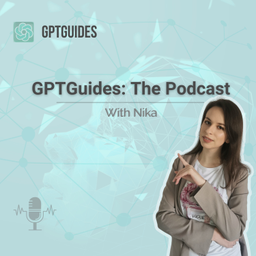
"GPT Guides: The Podcast" brings you practical insights into the world of AI and ChatGPT prompts, hosted by Nika. In under 10 minutes, we dive into the latest trends, explore AI's impact on business and creativity, and share accessible ways to use AI and ChatGPT prompts in everyday life. Whether you're a business owner, content creator, or simply curious about the future, this podcast keeps you informed and ahead of the curve. Tune in to discover how AI and ChatGPT are shaping our world and uncover tools and ideas to stay connected to the latest in technology.
- Publisher
- Nika
- Category
- news
- Language
- en
- Explicit
- No
- First episode
- 9 Feb 2026
- Latest episode
- 30 Apr 2026
Latest episodes
12 episodes in the feed.
30 Apr 2026
Why the Anti-AI Movement is Missing the Point
In This EpisodeThe rise of AI has sparked a passionate "anti-AI" movement, particularly on platforms like Threads where the mere mention of the technology can trigger intense backlash. I break down the two most common concerns fueling this anger: the environmental impact of server water usage and the ethical dilemmas regarding data "stealing" in Generative AI. While these issues are significant, the conversation often devolves into personal attacks and a fear-based refusal to see the technology's benefits. This episode is a call to move past the "hater" mentality and focus instead on teaching ethical usage and values. What You’ll Learn The primary reasons behind the intense "anti-AI" sentiment on social media How companies are addressing environmental concerns The ethical divide surrounding Generative AI and the concept of "stealing" artistic style A real-life case study of how AI can serve as a life-changing support tool for neurodivergent individuals Why banning AI usage can unintentionally hinder a student's natural curiosity and growth How to teach children and students to use AI Prompt to try today "I am interested in [insert hobby or topic, e.g., competitive swimming/quantum physics]. Act as a patient tutor and help me understand [specific concept] by breaking it down into simple terms. Then, give me three different ways I could practice or explore this further in the real world without using a screen." Links & Resources Google AI course (imp.i384100.net/enRXVr) (affiliate link) My Website (https://gptguides.co) My Tools Library (https://gptguides.co/tools) Sign up to my newsletter and grab a free prompt guide (https://gptguides.co/newsletter) Follow me on Instagram @GPTGuides (https://instagram.com/gptguides) Email me: nika@gptguides.co
20 Apr 2026
Why Your Google Rating is an Operational Smoke Alarm
In this episode Your Google rating is more than a number. It’s a diagnostictool that reveals hidden "leaks" in your business operations. Many owners fall into the "3.8-star trap", unaware that high-intent travelers are "firing" them before a single conversation happens. Instead of playing "review Whac-A-Mole" with apologies, you should use reviews as a "smoke alarm" to identify systemic bottlenecks. By applying AI sentiment mapping, you can uncover invisible patterns that cost youthousands. This episode explores how to move from reactive PR to surgical, data-driven management. Stop guessing why your rating is stalling and start plugging the leaks. What You’ll Learn Why high-spending travelers "fire" your business before they even speak to you. How I use AI to find the best restaurants or hotels The specific review-to-rating ratio that AI agents and savvy researchers look for. Why your local customers aren't the ones who will help build your digital reputation. The danger of the "3.8-star trap" and why "fine" is actually costing you thousands. The difference between reactive "PR fixes" and predictive AI sentiment mapping. Prompt to Try Today Use this prompt to find the best restaurants when travelling(make sure you’re using an agent): “I am travelling to [city]. Find me the best restaurants there,with Google rating of [number] of stars and a minimum of [number] of reviews." Optional:"Find restaurants in [neighbourhood] or find [specific cuisine] restaurants.” Links Reputation Rescue Toolkit (https://www.gptguides.co/product/reputation-management-for-local-businesses/) My Instagram (https://instagram.com/gptguides) Sign up to my newsletter and grab a free guide (https://preview.mailerlite.io/forms/309386/176760412667118685/share) My Tools Library (https://www.gptguides.co/tools-library/)
13 Apr 2026
The Google AI Pro 'Cheat Code': How to Get 3 Months for Free
In this episode I have a very cool PSA that is simply too good to pass up. Recently, I’ve been exploring AI tools beyond ChatGPT, specifically Google’s Gemini and Anthropic’s Claude. While teaching myself about these suites, I came across an official Google course that changed everything. Not only does it cover the entire Google AI ecosystem, but it also includes a massive bonus: three months of Google AI Pro for free. In this episode, I’m breaking down the features of this pro plan and why it’s a total game-changer for creators, teachers, and marketers alike. What You’ll Learn The math of why a $49 course that includes three months of a Pro plan (worth €69 or approx. $75) effectively pays for itself. My experience using the Google AI Suite. Exploring Google Antigravity, a powerful desktop app for higher agent model quotas. Why NotebookLM Pro is a "hidden gem" for teachers and learners. The benefits of integrating Gemini into Gmail and Docs, plus the 5TB of included storage. Prompt to Try “Act as a Google AI specialist. Explain the main differences between using the free version of Google AI and the Google AI Pro plan. Specifically, highlight the limits, features that are available and all the tools and their benefits.” Important reminder AI is a tool for exploration and efficiency, but always verify the outputs. While tools like Gemini and NotebookLM are incredibly powerful, they work best when you act as the creative director and final editor of your work. Links & ResourcesGoogle AI course (imp.i384100.net/enRXVr) (affiliate link) My Website (https://gptguides.co) My Tools Library (https://gptguides.co/tools) Sign up to my newsletter and grab a free prompt guide (https://gptguides.co/newsletter) Follow me on Instagram @GPTGuides (https://instagram.com/gptguides) Email me: nika@gptguides.co
8 Apr 2026
Can AI Be Smarter Than Your Doctor? My 20-Year Diagnosis Story
In this episode We often hear the warning "don't Google your symptoms," but is it time to rethink that advice when it comes to Artificial Intelligence?. In this episode, I share a deeply personal story about a mysterious skin condition I battled for over 20 years that numerous specialists couldn't identify. I’ll walk you through how a single AI prompt provided the answer that two decades of traditional medicine missed and discuss the responsible way to use AI as a tool for your health. What You’ll Learn The real reason people say not to Google your symptomsWhy AI can sometimes connect dots that humans missMy personal experience getting a diagnosis after 20 yearsHow to use AI as a starting point, not a final answerWhat AI is actually useful for when it comes to healthThe biggest risks of using AI for medical adviceWhy context matters when asking AI about symptomsHow to double-check and verify AI outputs properlyWhat you should never do when it comes to AI and treatment Prompt to Try “Act as a medical information assistant. Based on the following symptoms, give me a list of possible conditions, explain each one in simple terms, and suggest what kind of doctor I should consult. Symptoms: [describe in detail]. Ask me follow-up questions if needed before giving a final answer.” Try this today If you’ve been dealing with something unexplained, write down your symptoms as clearly and specifically as possible and run them through AI. Then compare the results with trusted sources and bring it to your next doctor’s appointment as a starting point for discussion. Important reminder Use AI to explore, not to diagnose. Always verify, never self-treat and always consult a medical professional before taking action. Links & Resources My Website (https://gptguides.co) My Tools Library (https://gptguides.co/tools-library) Sign up to my newsletter and grab a free prompt guide (https://gptguides.co/newsletter) Follow me on Instagram @GPTGuides (https://instagram.com/gptguides) Email me: nika@gptguides.co
30 Mar 2026
Are your AI chats actually private?
In this episode If you’ve ever typed something into ChatGPT, Gemini, or Claude and then immediately thought, “Wait… should I have said that?” this episode is for you. A lot of people are using AI tools for way more than quick questions. They’re using them to think through work problems, awkward messages, money stress, personal decisions, health concerns, and things they probably wouldn’t want floating around forever. In this episode, I’m walking you through how to make your AI chats more private without becoming paranoid about it. We’re talking about the simple settings, habits, and privacy checks that actually matter if you want to use AI more safely and a lot more intentionally.What You’ll Learn What “private” actually means when it comes to AI chats How to make your conversations more private in ChatGPT, Gemini and Claude Why turning off chat history or training matters When to use Temporary Chat or the closest equivalent What you should never paste into an AI tool Why shared chat links can be a hidden privacy risk How your account security affects your AI privacy The simple habits that make using AI a lot safer Prompt to Try “I want to ask you about a personal or sensitive situation. Before we begin, tell me how I can phrase this in a safer, more anonymous way so I don’t include unnecessary private information.” My linksKeep ChatGPT Conversations Private: A Checklist (blog post) (https://www.gptguides.co/keep-chatgpt-conversations-private-a-checklist/)My website (https://www.gptguides.co/)Sign up to my newsletter and grab a free prompt guide (https://preview.mailerlite.io/forms/309386/176760412667118685/share)Instagram (https://www.instagram.com/gptguides) My Tools Library (https://www.gptguides.co/tools-library/)Send me an email nika@gptguides.co (mailto:nika@gptguides.co)
23 Mar 2026
DIY Web Design: How to use AI to write custom HTML and CSS
In this episode If you’ve ever felt "uninspired" by a boring, generic website, this episode is for you. I’m sharing the exact method I used to rebuild gptguides.co from the ground up. We’re moving beyond basic ChatGPT captions and diving into how AI can act as your personal web developer, even if you aren't a coding expert. I’ll walk you through how I used HTML, CSS, and AI to create a custom site that finally matches my brand vision without the high price tag of a professional developer. What You’ll Learn Why most websites feel boring (and how to fix that) The exact way to use AI to plan your website structure How to turn your ideas into actual HTML and CSS A beginner-friendly way to test and edit your site beforepublishing How to make changes even if you don’t understand code The simplest way to add links and images to your website How to use WordPress with raw HTML (no builder limitations) Why this method can save you hundreds or thousands ofdollars Prompt to Try “Act as a web designer and UX expert. Based on my brand (colors: [insert hex codes], style: [describe your vibe]), create a [page, e.g. home/about/FAQ] structure with sections, copy suggestions, and then generate clean HTML and CSS code with comments explaining what I can easily edit.” Quick Guide to Editing HTML Text content → Look inside the <body> section (this is what shows on your page) Links → Edit the URL inside <a href="your-link-here"> Images → Change the source inside <img src="image-link-here"> Colors & design → Adjust values inside the <style> section (look for color codes like #000000) Sections/layout → Look for tags like <div>, <section>, <header> 💡 Tip: If you’re unsure what something does, change it slightly, save and refresh your page to see what happens. Links & Resources My website (https://www.gptguides.co) My Tools Library (my favorite page) (https://www.gptguides.co/tools-library%20) Notepad++ (free) (https://notepad-plus-plus.org) Coolors (for color palettes) (https://coolors.co) My Instagram (https://www.instagram.com/gptguides/) Sign up to my newsletter and grab a free prompt guide (https://preview.mailerlite.io/forms/309386/176760412667118685/share) My email: nika@gptguides.co
16 Mar 2026
What you should (and shouldn’t) use AI for
In this episode Just because AI can do something doesn’t mean it should. In this episode, we tackle the "cringe factor" of over-automated lives and discuss the vital skill of knowing where to draw the line. We explore how to use AI as a powerful thinking partner without losing the human connection, personality and trust that define your brand and relationships. In this episode you’ll learn: • The best ways to use AI so it actually makes you moreproductive• Why you should never outsource personal communication to AI• The reason AI comments on social media immediately destroy trust• The types of messages AI should absolutely never write for you• A simple rule to decide when AI should and shouldn’t be used One prompt you can try today Try this “AI Draft → Human Rewrite” prompt the nexttime you’re creating something longer: Prompt: “Create a simple outline for [a piece of content, e.g. blog post, podcast script, newsletter] about[topic].”Then include the main points and all the notes you want to cover cover and ask your AI for a logical flow for the ideas. Then take the outline and rewrite the content in your ownvoice, adding your experiences, opinions, tone, style and personality. Once you’ve written it, you can ask AI to help with editingor clarity. Links My Instagram (https://www.instagram.com/gptguides/) Website (https://www.gptguides.co/) The Ultimate Productivity System (https://www.gptguides.co/product/the-ultimate-productivity-system/) Sign up to my newsletter and grab a free guide (https://preview.mailerlite.io/forms/309386/176760412667118685/share) My Tools Library (https://www.gptguides.co/tools-library/)
9 Mar 2026
My favourite tools for productivity and content creation
In this episode, I’m opening up my digital toolbox to share the platforms and apps I’ve relied on for years to keep my workflow running smoothly. From automating Instagram engagement to finding the perfect video editing alternative, I’m breaking down the tech stack that helps me create content and manage projects. What you'll learn in this episode The AI Landscape: Why I’m re-evaluating my reliance on ChatGPT and testing Claude and Gemini to find a new primary assistant. Mastering Social Automation:How to use ManyChat to automate lead magnet delivery and grow your email list while you sleep. Email Marketing Upgrades:Why I’ve made the switch from MailChimp to MailerLite for better functionality and user-friendliness. Free Alternatives for Video Editing: Discover "Edits," the Meta-owned app that offers professional-grade features like background removal and keyframing without the "pay-to-play" costs of other editors. Notion as a Hub: How to use Notion for everything from project management and note-taking to hosting digital products. Strategic Scaling: Using Loom for course creation and NotJustAnalytics to audit profiles and track growth like an Instagram strategist. Links My Full Tools Library: Tools library (https://www.gptguides.co/tools-library/) Automation: ManyChat (https://manychat.partnerlinks.io/w7lhoxqdjz4p-ogcg6e) Email Marketing: MailerLite (https://www.mailerlite.com/) Design: Canva (https://www.canva.com/) Video Editing: Edits (https://www.google.com/search?q=https://www.facebook.com/meta/edits) Productivity: Notion (https://affiliate.notion.so/oblfh5tqvkto) My Prompt Challenge: The Prompt Labyrinth (https://www.gptguides.co/product/the-prompt-labyrinth/) Screen Recording: Loom (https://www.loom.com/) Digital Marketplaces: Payhip (https://payhip.com/?fp_ref=nika67)& Gumroad (https://gumroad.com/) Analytics: NotJustAnalytics (https://www.notjustanalytics.com/)
2 Mar 2026
The OpenAI Exodus: Why Users are Saying #QuitGPT
In this episode we explore the growing wave of dissatisfaction hitting OpenAI, as hundreds of thousands of users threaten to boycott the platform. From controversial political donations and government contracts to a noticeable decline in the AI's performance, we break down why the "final straw" has arrived for many and what the future looks like for those seeking a new AI home. What you'll learn in this episode The financial impact of #QuitGPT: Why OpenAI stands to lose approximately $1.4 million in monthly revenue due to the current boycott. The political spark: Details on the $25 million donation from OpenAI’s president that triggered a backlash among creative and younger professionals. Controversial partnerships: Why the involvement of U.S. Immigration and Customs Enforcement (ICE) and the Department of War has become a major red flag for users. The quality decline: Addressing common frustrations with "hallucinations," heavy censorship, and overly cautious responses in recent ChatGPT updates. Testing the alternatives: A first look at how Claude, Gemini, and Perplexity stack up against ChatGPT's features. Preparing for the switch: How to handle the "painful" transition of moving years of data and tasks from one LLM to another. Links: Original post by Sam Altman (https://x.com/sama/status/2027900042720498089?s=46) My Instagram (https://www.instagram.com/gptguides/) The Ultimate Productivity System (https://www.gptguides.co/product/the-ultimate-productivity-system/) Sign up to my newsletter and grab a free guide (https://preview.mailerlite.io/forms/309386/176760412667118685/share)
23 Feb 2026
A better way to make decisions (with the help of ChatGPT)
If pros and cons lists actually worked, you wouldn’t stillbe stuck. In this episode, we talk about why traditionaldecision-making tools fail for real-life choices and what works better instead.The issue isn’t a lack of logic. It’s that pros and cons flatten everything andignore what actually creates clarity. You’ll learn a smarter way to think through decisions usingperspective shifts and consequence-testing, with help from ChatGPT. What You’ll Learn in This Episode Why pros and cons lists often increase confusion instead of clarity The hidden flaw in treating all factors as equal A better way to think through decisions without overthinking How to use ChatGPT to simulate outcomes, not just compare options The question that makes decisions feel clearer almost instantly Prompt to Try Today Use this instead of a pros and cons list: “If I choose this option, what problems am I signing up for in the next 6months? Are these problems easier to live with than the ones I have now?” Optional follow-up: “What decision would feel obvious in hindsight?” LinksA blog post on this topic (https://www.gptguides.co/better-way-to-make-decisions/) My Instagram (https://www.instagram.com/gptguides/) The Ultimate Productivity System (https://www.gptguides.co/product/the-ultimate-productivity-system/) Sign up to my newsletter and grab a free guide (https://preview.mailerlite.io/forms/309386/176760412667118685/share)
16 Feb 2026
The fastest way to plan a week (with the help of ChatGPT)
Planning your week shouldn’t feel overwhelming before iteven starts. In this episode, I talk about why most weekly planscollapse by midweek and how to plan in a way that matches your real capacity, not your ideal version of it. The problem usually isn’t motivation or discipline. It’s over-optimism and invisible pressure baked into the plan. You’ll learn how to use ChatGPT to create a realistic weeklyplan that feels calm, flexible, and doable. What You’ll Learn in This Episode Why traditional weekly planning often creates resistance The hidden reason your week feels heavy before Monday even starts How to plan around actual energy, not ideal energy Why reducing decision load matters more than doing less How to use ChatGPT to protect your capacity instead of overloading it Prompt to Try Today Use this before planning your next week: “Based on my commitments and capacity [list all the items],what is a realistic version of this week that won’t make me feel behind by Wednesday?” Additionally, you can add: “What should I not plan thisweek?” This is super simple, so try it out and let me know how it goes! Links My Instagram (https://www.instagram.com/gptguides/) Episode 1 (Fix your ChatGPT prompts without starting over) (https://open.spotify.com/episode/5QMRp8Pf2VLCRF8LgF90J9?si=NEC2GvQkQNu0tjqZPhVwWg) The Ultimate Productivity System (https://www.gptguides.co/product/the-ultimate-productivity-system/)
9 Feb 2026
Fix your ChatGPT prompts without starting over
Ever feel like your ChatGPT prompt is almost right, but the answer still misses the point? In this episode, I explain why most ChatGPT responses fall flat and how to fix them without rewriting your entire prompt. The problem usually isn’t what you asked, but what you didn’t specify. You’ll learn how a few smart constraints can change how ChatGPT thinks. This is about clarity, control and getting better answers with less effort. In this episode, you’ll learn: Why rewriting your prompt is usually the wrong move The most common mistake people make when using ChatGPT How to stop ChatGPT from guessing, rambling or being overly polite Simple add-ons that dramatically improve output quality How to force clearer thinking, structure, and useful feedback You’ll also hear one line you can add to a prompt you already use to instantly improve the result. Prompt to try today: Ask me clarifying questions until you’re 99% confident you can complete this task successfully. Prioritize truth over agreement. Eliminate filler. No overthinking. No starting from scratch. Just better answers. Links: Instagram (https://www.instagram.com/gptguides/) Grab the free guide (https://preview.mailerlite.io/forms/309386/176760412667118685/share) Website (https://www.gptguides.co/)
Contact GPT Guides: The Podcast
- Guest appearances
- Does not typically book guests
Based on episode analysis; this does not confirm that the show is currently accepting guests.
Host of GPT Guides: The Podcast?
Claim your podcast to manage its listing and keep your show details accurate.
Pod Engine is an independent podcast discovery and analytics service and is not affiliated with or endorsed by this podcast. Artwork and show content belong to their owners. Full legal notice.
Explore this show
Podcast research with Pod Engine