- 30
- Episodes
- Weekly
- Cadence
- 2026
- First episode
About Small Steps with AI
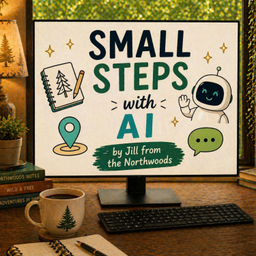
AI isn't just a search engine. It can help you think through a hard decision, organize your house, plan your retirement, and sometimes — if you let it — say exactly what you needed to hear. Small Steps with AI is hosted by Jill from the Northwoods, a real person figuring out how this technology fits into real life. No coding. No hype. Just small steps.
- Publisher
- Jill McKinley
- Category
- technology
- Language
- en
- Explicit
- No
- First episode
- 31 Mar 2026
- Latest episode
- 21 Oct 2026
Latest episodes
30 episodes in the feed.
21 Oct 2026
What Not to Share with AI
AI can explain, compare, draft, and troubleshoot, but useful assistance does not require handing over every private detail. I walk through a practical circle of trust for information, safer ways to share documents, and the extra care needed when AI suggests computer commands or advice with serious consequences. Ask Three Questions Before Sharing What does AI actually need to know? What happens if its answer is wrong? What would happen if the information were exposed? These questions help separate relevant context from unnecessary identifying details and keep our judgment involved as tools become more capable. Red, Yellow, and Green Information Passwords, login codes, recovery keys, and full account identifiers belong in the red category. Health, financial, employment, and other people's private information require careful judgment in the yellow category. Generalized examples and nonidentifying context can often provide a greener way to get useful help. Protect Other People and Work Materials A friend's diagnosis or a coworker's private situation is not ours to disclose casually. Workplace rules also matter: permission to use an approved company tool does not automatically cover a personal account. I share why checking the rules and removing unnecessary names can make a difference. Look Beyond the Question in a Screenshot AI may notice more than the detail we intended to show. Documents and photographs can reveal addresses, account numbers, background objects, and other information. Crop to the relevant area and check the finished image before sharing rather than assuming the rest will be ignored. Keep Judgment over Actions and Advice A command that fixes a problem can also delete files, change permissions, or modify a database. Understand it, make backups, and seek qualified help when needed. For medical, financial, and legal questions, AI can help organize information and prepare questions, while important decisions deserve professional verification. Before your next upload or powerful command, pause and ask the three questions. Share only what is needed, understand proposed actions, and increase verification as the stakes rise. jill@startwithsmallsteps.com and jillfromthenorthwoods.com A note on this podcast: I’m not a software developer or an AI professional, just someone who uses these tools every day and shares what’s working for me. Test anything I mention against your own situation before you rely on it. TIMESTAMPS 00:00 Using AI includes knowing when to pause 01:59 Three questions for safer AI use 03:05 Relevant context without identifiers 06:54 Red information: credentials and codes 12:07 Yellow information and privacy 14:56 Other people and workplace rules 16:39 Green information and general examples 18:19 Crop documents and check screenshots 20:53 Understand commands before running them 23:42 High stakes and your final judgment
14 Oct 2026
How AI Can Help People With Low Vision
A listener asked me how AI might help someone with low vision, and that sent me into a series of experiments. I wanted to know what these tools could actually do with tiny print, household products, photographs, instructions, and ordinary objects, and just as importantly, where they could fail. AI Can Help With More Than Reading A listener question sent me looking at how AI can help people who are blind or have low vision. I tested ordinary situations where a camera, voice conversation, and follow-up questions can turn visual information into something more usable. From Tiny Print to Useful Answers Magnification and text recognition have been around for years, but generative AI adds another layer. It can read instructions, explain what they mean, answer questions about an object, and sometimes adapt the information to what you actually need. The Tools Are Getting More Conversational I look at Apple Magnifier and voice features, Microsoft Seeing AI, Be My Eyes, and smart glasses. The interesting change is not simply that technology can recognize something, but that you can keep asking questions about what it sees. AI Can Be Right and Still Miss Something One of my tests produced accurate information while skipping a line entirely. That is an important warning for visual accessibility because a person who cannot see the original may not know that anything was omitted. Match the Verification to the Risk A wrong shirt color is inconvenient. A wrong answer about medication, allergies, finances, legal papers, or physical safety can matter a great deal, so higher-risk situations need another source of verification. Try One Ordinary Thing AI does not replace established accessibility tools, training, specialists, screen readers, or human help. It can be one more flexible tool, and the best first experiment is something small and low stakes. The useful shift is from a tool that simply magnifies or reads to one you can question. Start with something ordinary, keep the stakes low, ask follow-up questions, and learn where AI fits alongside the accessibility tools and people you already trust. Contact: jill@startwithsmallsteps.com | jillfromthenorthwoods.com A note on this podcast: I'm not a software developer or an AI professional, just someone who uses these tools every day and shares what's working for me. Test anything I mention against your own situation before you rely on it. TIMESTAMPS 00:00 AI and low vision 03:44 From magnification to conversation 05:32 Testing AI on everyday objects 07:35 Apple Magnifier and visual questions 09:42 When a correct answer is incomplete 11:31 Voice control and hands-free help 13:35 Seeing AI, Be My Eyes, and smart glasses 16:55 The confidence problem 19:34 Low stakes versus high stakes 23:24 Start with one ordinary task
7 Oct 2026
I Used AI to Plan a Walking Tour of Marquette
Someone who runs local walking tours emailed me asking how AI could help him. So I built a pretend scenario: I live in Marquette, Michigan, a friend is coming to visit, and I realize I don't actually know the story of my own town. What happened next shows the most useful AI skill there is, and it isn't prompt engineering. It's asking the next question. **Start With a Plain Question** My first prompt was simple: tell me something interesting about Marquette that I've walked past a hundred times without knowing its story. No role-playing, no special formula. Just a real question about something I cared about. **One Answer Leads to Another** Iron ore led to the Marquette Iron Company of 1849. That led to a settlement first called New Worcester, the Ojibwe community of Chief Charles Kawbawgam and his wife Charlotte, and Father Jacques Marquette, who explored the region nearly two centuries earlier. None of those were in my first question. **The Dock That Washed Away** Marquette's first dock was swept away by Lake Superior almost as soon as it was built. Asking AI to connect that failure to the massive 1931 Lower Harbor Ore Dock turned a concrete landmark I swam beside as a kid into a story about solving one problem over eighty years. **Old Fears About New Technology** The men who moved ore by wheelbarrow watched railroads and pocket docks change their work. The mix of wonder and job worry they felt is the same one many of us feel about AI now. **You're the Editor, Not AI** AI can be wrong, and confidently wrong. If you're going to repeat something to a friend or a tour group, ask for sources, look for a second independent confirmation, and check historical societies, museums, and archives. AI isn't the source. You're responsible for what you repeat. **Lunch Becomes Part of the Tour** A hungry stop turns into history too: the pasty, brought by Cornish miners, adopted by Finnish immigrants, and still a U.P. staple. Then the most useful question of all: "What haven't I asked yet?" You don't need to be a genius to use AI well. Tell it what you're trying to do and who it's for, push back when an answer isn't useful, ask for evidence when something sounds off, and keep asking the next question. It'll introduce you to names, places, and questions you didn't know existed. You can find everything I do at jillfromthenorthwoods.com, and you can reach me directly at jill@startwithsmallsteps.com. --- **A note on this podcast:** I'm not a software developer or an AI professional, just someone who uses these tools every day and shares what's working for me. Test anything I mention against your own situation before you rely on it. TIMESTAMPS 00:00 Using AI to explore your hometown 02:19 The first question 02:58 Iron ore and who founded Marquette 05:24 Why is it called Marquette? 09:38 The Lower Harbor ore docks 11:01 The dock that washed away 17:32 Building the walking tour 20:36 Verify what AI tells you 22:16 Lunch: the Upper Peninsula pasty 26:09 Ask AI what you're missing
Contact Small Steps with AI
- Guest appearances
- Does not typically book guests
Based on episode analysis; this does not confirm that the show is currently accepting guests.
Host of Small Steps with AI?
Claim your podcast to manage its listing and keep your show details accurate.
Pod Engine is an independent podcast discovery and analytics service and is not affiliated with or endorsed by this podcast. Artwork and show content belong to their owners. Full legal notice.
Explore this show
Podcast research with Pod Engine