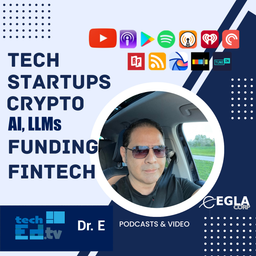
TECHEDTV Podcast with Dr. Edwin Hernandez
Dr. Edwin A. Hernandez
5.0from 1 ratings
- 26
- Episodes
- 1
- Ratings
- Weekly
- Cadence
- 2022
- First episode
- 203K
- YouTube views
About TECHEDTV Podcast with Dr. Edwin Hernandez
Dr. Edwin Hernandez host for TECHEDTV podcast brings you the latest in technology, fintech, Expert Witness, Patents, Investments, crypto, cloud, AI, startups. We interview many startup founders and bring an audio-only outlet for techedtv show in Youtube and Facebook. This is podcast is brought to you from our EGLAVATOR Tech Incubator at our studios. I work with startups and incubate ventures in Boca Raton, FL.
- Publisher
- Dr. Edwin A. Hernandez
- Category
- business · education · technology
- Language
- en
- Explicit
- No
- First episode
- 22 Sept 2022
- Latest episode
- 24 Mar 2026
Latest episodes
26 episodes in the feed.
24 Mar 2026
From Coal Trading to a $300M Exit: Why Tech Founders Must Build Moats — Lessons from Ryan Gnessing
Good morning, good evening, good afternoon — wherever you’re watching from. In the latest episode of TechedTV, I sat down with Ryan GNessin, a serial entrepreneur, former Glencore commodities trader, and angel investor who turned a blank-canvas move to New York into a massive e-commerce roll-up and exit. Ryan’s journey is proof that bold career pivots can pay off — but only if you build real competitive advantages along the way. From Life Insurance to Glencore’s $500M Trading Desk Ryan started his career as a life insurance advisor in Australia but quickly realized it wasn’t for him. A mentor connected him with Glencore, one of the world’s largest commodity trading firms. He joined the head office in Switzerland as a traffic analyst, then moved to Jakarta, Indonesia, on just four days’ notice. Over eight intense years, he rose to head the regional office and managed a $500 million physical coal trading desk. It was high-stakes, high-travel work: meeting miners, partying with customers, flying 250–300 times a year, and riding the boom-and-bust cycles of the 2008 financial crisis. The lifestyle was exciting in his late 20s and early 30s, but eventually the constant travel and lack of work-life balance caught up. In 2016, at age 33, Ryan walked away with no job, no girlfriend, and no plan — just a blank canvas in New York City. The Blank Canvas That Became a $300M Exit Instead of looking for another corporate role, Ryan started small: retail arbitrage — buying branded footwear (Nike, Adidas, Hoka) from stores and reselling on Amazon. He quickly moved into private labeling and spotted an opportunity: thousands of small Amazon sellers generating solid revenue but lacking scale. Many could be acquired cheaply (2–3x EBITDA). That insight became Elevator Brands — an e-commerce roll-up platform. Started with tiny acquisitions ($200K–$400K revenue businesses) as experiments. Raised $8M in 2020, then much larger rounds as COVID accelerated e-commerce. In 2021 alone, the team grew from 15 to 220 people and acquired 20 businesses (total of 32 across the journey). One standout: Rhino USA (motorsport accessories), acquired at ~$20M revenue and scaled to over $100M. The result? A successful exit in 2023 after building a portfolio that proved the power of disciplined acquisition and operational scaling. Key Lessons for Tech Founders & Entrepreneurs 1. Start Where You Stand — Then Iterate Ruthlessly Ryan didn’t have a perfect 10-year master plan. He started with what was in front of him (Amazon arbitrage) and iterated until it worked. “Start small, test, and if it works, double down — if not, move on.” 2. Build a Real Moat — or Get Commoditized This was Ryan’s strongest message for today’s founders, especially on platforms like Amazon: Patents matter — Utility patents create real barriers; design patents are weak. Brand recognition wins — Rhino USA customers happily pay more because they trust the brand. Supply chain advantages or unique customer relationships also work. Without a moat, you’re just another copycat competing on price. Margins erode fast when 1,000 sellers can source the same product from Alibaba. Ryan’s advice: Ask yourself — Why would a customer choose my product over the 10 identical ones next to it? 3. Retail Arbitrage Is a Great Starter, Not a Destination Going to Costco or Nike outlets, flipping products on Amazon or eBay is an excellent low-risk way to learn e-commerce and generate cash. But it’s rarely a high-quality, high-exit business. Use those early profits to fund bigger experiments with better moats. 4. Timing + Tailwinds Matter — But So Does Grit COVID created massive e-commerce tailwinds, but Ryan was already testing the model before the pandemic. When opportunity struck, he was ready to raise capital and scale aggressively. 5. Career Changes Every ~10 Years Can Create an Exciting Life Ryan left a highly paid, specialized role in coal trading because it no longer felt right. His mentors thought he was crazy. He believes changing direction roughly every decade keeps life interesting — especially when you’re young and without heavy family commitments. What Ryan Looks for as an Angel Investor Today Sector first: He’s especially excited about humanoid robotics (which he believes could become the largest industry in the world within 10–15 years) and AI. Strong teams and big-name investors on the cap table (for resilience during tough times). Clear competitive landscape analysis. On the AI bubble question: Ryan sees high valuations and bubble-like P/E ratios, but also insatiable demand for GPUs (NVIDIA’s recent numbers prove it). His approach? Hold some dry powder for corrections, but avoid panic selling — the market could still run higher. Final Takeaway for Founders Whether you’re trading physical commodities, flipping shoes on Amazon, or building the next AI/robotics startup — sustainable success comes from creating a defensible moat. Don’t compete in a sea of commodities. Build something customers recognize, protect it intelligently, and scale when the wind is at your back. Big thanks to Ryan Gnessin for joining TechedTV and sharing his unfiltered journey. Watch the full episode here: [Link to YouTube/TechedTV video] What’s your biggest moat-building challenge right now? Drop a comment below — I’d love to hear from fellow founders. ' Ready to publish? SEO Title suggestion: From Coal Trading to $300M Exit: Moat-Building Lessons Every Tech Founder Needs Meta description: Ryan Nessing went from Glencore coal trader to a $300M e-commerce exit. Here are his hard-earned lessons on building moats, scaling on Amazon, and why most founders fail without real competitive advantage. Categories/Tags: Entrepreneurship, Startups, E-commerce, Fintech/Tech, Leadership, Investing TRANSCRIPT [00:00:03] Dr. Edwin Hernandez: Good morning, good evening, good afternoon. [00:00:13] Dr. Edwin Hernandez: You guys are watching TechedTV with Dr. [00:00:15] Dr. Edwin Hernandez: Edwin Hernandez. [00:00:16] Dr. Edwin Hernandez: And today we have a new guest, a friend that we met a couple a month ago. [00:00:20] Dr. Edwin Hernandez: Ryan Nessing from, where are you based today, Ryan? [00:00:23] Ryan Nessing: Well, I'm at home, in my office, Austin, Texas. [00:00:25] Ryan Nessing: Great. [00:00:25] Dr. Edwin Hernandez: And you are Australian, is that right? [00:00:28] Dr. Edwin Hernandez: is that right? [00:00:28] Ryan Nessing: Well, yes. [00:00:29] Ryan Nessing: well, I spent 10 year… [00:00:30] Ryan Nessing: I'm actually a dual citizen, half I've got Australian citizenship and also American, as of six months ago. [00:00:36] Ryan Nessing: Congratulations. [00:00:36] Ryan Nessing: But I grew up, I actually grew up South African, so… [00:00:38] Ryan Nessing: (laughs) Oh, okay. [00:00:40] Ryan Nessing: So I have a bit of a mongrel mixed accent, grew up South African, lived there till I was 14, and then I spent the next 10 years in Sydney. [00:00:47] Dr. Edwin Hernandez: Okay, so you're familiar with Trevor Noah then? [00:00:49] Ryan Nessing: Oh, yes, for sure. [00:00:50] Dr. Edwin Hernandez: (laughs) Great. [00:00:50] Dr. Edwin Hernandez: Yeah, so yeah, so we have a very interesting conversation with Ryan, because he's an expert in all kinds of stuff, especially when it comes to investment, and is an entrepreneur, CEO for several of his ventures, $300 million deals, and I can go on and on and on. [00:01:06] Dr. Edwin Hernandez: But I would like to, Ryan to tell us more about, his background a little bit. [00:01:10] Dr. Edwin Hernandez: you went to college in Australia, so how is that different from the United States? [00:01:14] Ryan Nessing: Yeah, you in the US, college seems to be like a very impactful period of someone's life, and which college you go to matters tremendously. [00:01:23] Ryan Nessing: in the US… [00:01:24] Ryan Nessing: Sorry, that's in the US. [00:01:25] Ryan Nessing: In Australia, you college was not as big a deal, I have to say. [00:01:29] Ryan Nessing: I did a Bachelor of Commerce at the University of New South Wales. [00:01:32] Ryan Nessing: if you're gonna do business in Sydney, then that and the University of Sydney are kind of the two places you would want to go to. [00:01:38] Ryan Nessing: And, frankly, my college experience was just okay. [00:01:42] Ryan Nessing: it was nothing special. [00:01:43] Ryan Nessing: Frankly, I was spending most of my time, doing odd jobs, working, trying to make money, and figure out next steps. [00:01:49] Ryan Nessing: So it just doesn't have the same kind of cachet as it does here in the US, which is a pity, because I think it's a really formative and important part of your life, and, probably there should be a little more emphasis on it. [00:01:59] Ryan Nessing: But, for me, that wasn't the case. [00:02:00] Ryan Nessing: (laughs) So you might ask someone else who has a different opinion, but for the most part, that's I think the general consensus. [00:02:05] Dr. Edwin Hernandez: So, how do you go from your time in college, let's say, that it was maybe not that eventful for our interest today- Yeah. [00:02:12] Ryan Nessing: … [00:02:12] Dr. Edwin Hernandez: but to Glencore, which I believe is one of your first main, let's say- Yeah. [00:02:18] Ryan Nessing: … [00:02:18] Dr. Edwin Hernandez: jobs? [00:02:19] Ryan Nessing: Yeah, so, I'll give you I'll try give you the 30,000-foot, brief summary of my last kind of 20 years, my career. [00:02:24] Ryan Nessing: actually, my very first job was a life insurance advisor. [00:02:27] Ryan Nessing: I became a financial planner, an insurance advisor, and I got a scholarship with one of the insurance companies in the US, in Australia, I beg your pardon. [00:02:34] Ryan Nessing: And, I just really did not like the industry. [00:02:36] Ryan Nessing: I found that to be successful,
18 Feb 2026
Modern Operating Systems for AI Agents
An operating system (OS) is the fundamental software that acts as an intermediary between computer hardware and user applications. It manages hardware resources such as the CPU, memory, storage, and input/output devices, while providing essential services like process scheduling, file management, security, and user interfaces. Without an OS, users would need to interact directly with hardware, which is impractical for most tasks. Common examples include Microsoft Windows, which focuses on graphical user interfaces and broad hardware compatibility; Linux, known for its open-source nature and use in servers; and macOS, optimized for Apple hardware with emphasis on user experience and integration. Operating systems can be monolithic (where all components run in a single kernel space, like traditional Linux) or microkernel-based (where services run in user space for better modularity and reliability, like in Minix). They also handle multitasking, allowing multiple programs to run simultaneously, and provide abstractions like virtual memory to make programming easier. I will first introduce traditional operating systems and its use in current desktops, mobile devices, and servers, and will compare them with my vision for distributed operating systems, as my proposal is MEVIA OS. The main use case is a world of AI agents (e.g. OpenClaw), more decentralized and operating 24/7, requiring then access, configuration, and communications with humans, anytime, anywhere for decision making and final touches as we free our time from being in front of our laptops. Comparing Traditional Operating Systems There are three main traditional Operating Systems: Windows, Linux, and MacOS. Their architectures are as follows: Operating Systems Architecture Windows Microsoft Windows, first released in 1985 as Windows 1.0, evolved from MS-DOS as a graphical extension to provide a user-friendly interface for personal computers. Developed by Microsoft, it quickly became the dominant OS for desktops and laptops due to its compatibility with a wide range of hardware and software. Over the decades, versions like Windows 95 introduced the Start menu and internet integration, while Windows XP (2001) emphasized stability and multimedia. Modern iterations, such as Windows 11 (2021), focus on cloud integration, AI features like Copilot, and enhanced security with features like Windows Hello. Its history reflects Microsoft's strategy of backward compatibility, ensuring legacy applications run on new versions, which has contributed to its market share exceeding 70% in desktop OS usage as of 2023. Windows operates on a hybrid kernel architecture, blending monolithic and microkernel elements for efficiency. The NT kernel, introduced in Windows NT 3.1 (1993), handles core functions like process management, memory allocation, and hardware abstraction. It runs in kernel mode for privileged operations and user mode for applications to prevent crashes from affecting the system. The OS supports multitasking through preemptive scheduling, allowing multiple processes to run concurrently. User interaction occurs via the graphical shell (Explorer.exe), with subsystems like Win32 for API calls. Security features include User Account Control (UAC) and BitLocker encryption, while updates are managed through Windows Update for ongoing improvements and patches. Kernel: Manages hardware resources, process scheduling, and memory; hybrid design for performance. Process Scheduler: Handles multitasking and priority-based execution of programs. File System (NTFS): Supports large volumes, encryption, and permissions for data management. Device Drivers: Interfaces with hardware like printers and GPUs via the Hardware Abstraction Layer (HAL). User Interface (GUI): Includes Desktop, Start Menu, and Taskbar for intuitive navigation. Security Subsystem: Features like Windows Defender and firewall for threat protection. Networking Stack: Manages TCP/IP, Wi-Fi, and cloud services integration. Linux Linux originated in 1991 when Linus Torvalds created a free, open-source kernel as an alternative to proprietary Unix systems. Inspired by Minix, it was released under the GNU General Public License, fostering community collaboration. Distributions (distros) like Ubuntu (2004) and Fedora bundle the kernel with tools from the GNU project, making it accessible for servers, desktops, and embedded devices. Its history highlights adaptability, powering over 90% of cloud servers and supercomputers by 2023, thanks to contributions from companies like Red Hat and Canonical. Linux's philosophy emphasizes modularity, stability, and customization, appealing to developers and enterprises. Linux uses a monolithic kernel where all core services run in kernel space for speed, though modules can be loaded dynamically. It boots via init systems like systemd, managing services and hardware detection. Processes are scheduled using algorithms like Completely Fair Scheduler (CFS) for efficient resource allocation. File systems such as ext4 provide robust data handling with journaling for crash recovery. The OS supports multiple users through permissions and supports shells like Bash for command-line interaction, with graphical environments (e.g., GNOME, KDE) optional. Networking is built-in with tools like iptables for firewalls, and package managers (e.g., apt, yum) simplify software installation. Kernel: Core monolithic structure handling CPU, memory, and I/O; supports loadable modules. Process Management: Includes scheduler for multitasking and init/systemd for service control. File System (ext4, Btrfs): Manages storage with features like snapshots and error correction. Device Drivers: Integrated into kernel or as modules for hardware support. Shell/User Interface: Command-line (CLI) via Bash/Zsh; optional GUIs like X Window System or Wayland. Security Modules: SELinux or AppArmor for mandatory access control. Networking: Robust stack with support for protocols, VPNs, and server configurations. macOS macOS, formerly OS X, traces its roots to 1984's Macintosh System Software but was revolutionized in 2001 with OS X 10.0, based on NeXTSTEP acquired from Steve Jobs' NeXT. Developed by Apple, it integrates tightly with Apple hardware for optimized performance. Key milestones include macOS Sierra (2016) with Siri integration and macOS Ventura (2022) emphasizing continuity features like Universal Control. By 2023, it holds about 16% of the desktop market, prized for creative professionals due to its Unix-like foundation and ecosystem synergy with iOS. Its history underscores Apple's focus on user experience, security, and innovation. macOS employs a hybrid kernel called XNU, combining Mach microkernel for messaging with BSD Unix for POSIX compliance. It runs on Darwin, an open-source base, managing resources efficiently on Apple Silicon (M-series chips since 2020). The Aqua interface provides a polished GUI with gestures and animations, while Core Services handle tasks like file sharing. Multitasking uses Grand Central Dispatch for parallelism, and security features Gatekeeper and XProtect. App management occurs via the App Store, with seamless iCloud integration for data syncing across devices. Kernel (XNU): Hybrid with Mach for inter-process communication and BSD for Unix compatibility. Process Scheduler: Manages threads and priorities using Grand Central Dispatch. File System (APFS): Supports encryption, snapshots, and fast cloning for data efficiency. I/O Kit: Framework for device drivers, ensuring hardware integration. User Interface (Aqua): Includes Dock, Mission Control, and Spotlight for search. Security Framework: Features like FileVault, SIP (System Integrity Protection), and privacy controls. Networking: Built-in support for AirDrop, Bonjour, and internet protocols. APIs and Kernel design Distributed Operating Systems A distributed operating system extends the concept of a traditional OS across multiple networked computers or devices, making them appear as a single, cohesive system to the user. Unlike a standard OS confined to one machine, a distributed OS coordinates resources (e.g., processing power, storage, memory) over a network, enabling fault tolerance, scalability, and load balancing. Examples include historical systems like Amoeba (developed at Vrije Universiteit Amsterdam, which treated a cluster of machines as one entity with shared processes) or Plan 9 from Bell Labs (which distributed file systems and namespaces across networks). Modern equivalents can be seen in cloud platforms like Kubernetes, which orchestrate containers as if they were part of a unified OS. Key challenges in distributed OS include network latency, data consistency, and synchronization, often addressed through protocols like remote procedure calls (RPC) or message passing. MEVIA OS: A Distributed Operating System MEVIA OS, as detailed in US Patent 12346399B2, is a distributed operating system designed to enable seamless, web-based interactions across heterogeneous devices, primarily using mobile devices (e.g., smartphones or tablets) as controllers and smart televisions or other displays as output devices. It operates through a Device Connect Platform (DCP), which serves as the core middleware, handling messaging, streaming, and computation in cloud-based or decentralized environments. This setup allows for real-time control of web applications on remote displays without requiring native software installations, leveraging standard web technologies like HTML, CSS, JavaScript, WebSockets for bidirectional communication, and WebRTC for peer-to-peer media streaming. The following figure shows how different applications are routed and messages passed from one application to the displaying application in a decentralized way. Message Passing between Controllers and Applications Key components and functionalities include:
26 Jan 2026
What's MEVIAOS?
Dr. Edwin Hernandez has developed a new technology, under Mevia OS, that can be described as a "Universal Web Control: Revolutionizing Distributed Display Environments." This blog post draws directly from the provided sources regarding the patent-pending technology for seamless mobile-to-display interaction. Including use of gestures, machine learning, computer vision to interact with displays. The main goal is "Zero Friction," no applications installed, simply scan a TV or a QR Code associated with the TV and start interacting with it. Universal Web Control: The Future of Distributed Display Interaction In today’s digital landscape, the traditional remote control is becoming a relic of the past. Our latest slide deck explores Universal Web Control, a breakthrough system that transforms any mobile device into a powerful controller for smart TVs and remote displays. By leveraging decentralized or distributed operating systems, this technology allows messaging, streaming, and computation to occur in the cloud or across a local network. Beyond the Remote: How it Works The core of this innovation is the Device Connect Platform, which serves as a "glue" between web applications and mobile controllers. HOW IT WORKS? • Seamless Integration: Using a specialized web integration code (such as mevia.js), the system enables a mobile browser to act as a physical input device for a second browser running on a smart TV. • Real-Time Performance: To ensure zero-latency interaction, the system utilizes WebSockets and WebRTC. It manages these connections through sophisticated IP tunneling methods, including GRE, GTP, and VPN tunnels, ensuring traffic moves efficiently between endpoints. • Dynamic Controls: Depending on the application, your phone screen can instantly morph into a game controller, a keyboard, a video conferencing hub, or even a 3D gesture pad. Security and Smart Authentication One of the most innovative aspects of the system is how it handles user security without the friction of traditional logins. Security & Authentication • QR Code Activation: Users simply scan a Quick Response (QR) code displayed on the screen to initialize a session, which automatically maps a unique Universal Unique Identifier (UUID) to that specific display. • Gesture-Based Authentication: For enhanced security, the system can utilize a trained neural network (LSTM) to recognize specific hand gestures captured by the mobile device's accelerometer. • Location Awareness: Through Ultra-Wide Band (UWB) and cross-correlation of video feeds, the system can even identify which specific television in a room you are currently watching to ensure you are controlling the right screen. Versatile Use Cases Universal Web Control isn’t just for changing channels. As detailed in the sources, the platform supports a wide range of applications: Use Cases Art and NFT Labs: Interact with and display digital art Gaming: Turn your phone into a low-latency gamepad. Smart Home/IoT: Manage doorbell cameras or security systems from your mobile device. Professional Tools: Engage in video conferencing with camera and microphone control directly from the palm of your hand. . The attached slide deck provides a deep dive into the architecture, the Tunnel Mapping logic, and the neural network training processes that make this "Universal Web Control" possible. Universal_Web_ControlDownload
Reach and audience
Public platform figures. Ratings count people who left a rating, not total listeners.
- YouTube views
- 203,161
- Score snapshot 15 Sept 2025
- Apple Podcasts (US)
- 5.0 / 5
- 1 ratings
Podcast Authority Score: 50 / 100
A composite of feed quality, social presence, YouTube performance and engagement. Read the methodology.
- Quality
- 65
- Social presence
- 0
- YouTube
- 86
- Engagement
- 0
Contact TECHEDTV Podcast with Dr. Edwin Hernandez
- Guest appearances
- Books guests
Based on episode analysis; this does not confirm that the show is currently accepting guests.
Host of TECHEDTV Podcast with Dr. Edwin Hernandez?
Claim your podcast to manage its listing and keep your show details accurate.
Pod Engine is an independent podcast discovery and analytics service and is not affiliated with or endorsed by this podcast. Artwork and show content belong to their owners. Full legal notice.
Explore this show
Podcast research with Pod Engine