- 32
- Episodes
- 4
- Ratings
- Weekly
- Cadence
- 2023
- First episode
About Your Ministry Resource
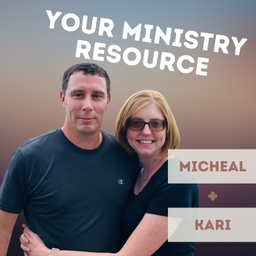
Micheal and Kari cover recent updates, new features, and tips for church administrators using ChurchApps.
- Publisher
- Micheal & Kari Byrd
- Category
- religion & spirituality
- Language
- en
- Explicit
- No
- First episode
- 8 Jan 2023
- Latest episode
- 11 Oct 2026
Latest episodes
32 episodes in the feed.
11 Oct 2026
From Visitor to Family
A first-time guest fills out a connect card, and at a lot of churches it sits on a desk until Wednesday. Micheal and Kari walk through one simple setup in B1, step by step: every new guest lands in your system within seconds, gets a welcome email automatically, and shows up on a real person's to-do list for a phone call. No tech skills needed. WATCH ALONG ON YOUTUBE: https://youtu.be/xZjpcYVNK7U See every click on screen: building the connect card, the FreeShow QR code, the automatic welcome email, and the caller's view. PART 1: THE CONNECT CARD 1. If you don't have one yet, create a group called "Newcomers" (People → Groups → Add Group). 2. Go to People → Forms → Add Form. Name it "Connect Card." 3. Set "Associate With" to Stand Alone. This gives the form its own page on your church website. 4. Check "Create a person record from submissions." 5. Under "Add submitters to a group," choose Newcomers. 6. Save, then add your questions: First Name, Last Name, Email (set the field type to Email), and Phone. 7. Share the form at church with a QR code (see below). What happens: when a guest submits the card, B1 creates their person record (marked Guest) and adds them to Newcomers. If they're already in your system, B1 matches them by email, so you don't get duplicates. WRITE YOUR WELCOME EMAIL (one time) 1. Go to Settings → Email Templates → New Template. 2. Name it "Welcome Email" and write a subject and message. 3. Use the merge-field buttons (First Name, Church Name, and more) so each guest is greeted by name. 4. Click Preview to check it, then Save. It's now stored in your Email Templates list for any workflow to use. GETTING SARAH TO THE CARD (at church) - In People → Forms, copy your Connect Card's link from the URL column. - FreeShow 1.6.6 and newer: edit your welcome slide → add a QR Code item → paste the link into its URL field. Guests scan it from their seats. - For seat-back cards or the bulletin: turn the same link into a printable QR code with any free QR code generator. PART 2: THE FOLLOW-UP BOARD 1. Go to Serving → Workflows → Add Workflow → choose the ready-made "New Visitor Follow-up." 2. Open the Triggers tab → Add Trigger. - When this happens: Group · Member Joined - Add Condition: Group is Newcomers - Save 3. Click Edit on the "Send welcome email" column: - Automated actions → Add Action → Send Email → choose your welcome email - Automatic routing (on entry) → click + → Go to step: Personal phone call - Save 4. Click Edit on the "Personal phone call" column → Assign → choose the person who makes the calls → Save. What happens: when someone joins Newcomers, including through your connect card, B1 sends the welcome email and moves their card to "Personal phone call." The person you assigned gets a notification. If they have the B1 app on their phone with notifications on, it arrives right away, often while the guest is still in the building. They find the guest under Serving → My Work. The card shows the guest's phone number and email. After the call, they add a note on the card and change its Step to the next column. GIVING YOUR CALLER ACCESS - Your caller needs a B1 login: Settings → Roles → choose a role (for example, Church Staff) → Add → pick the person → Send Invite. - That role needs the Tasks permission "View Workflows & Cards" so they can open their cards. Note: the first time your church sends email from B1, there's a one-time approval to keep spammers out. If you see "Request Review," click it. Try It This Week: Build the connect card (Part 1) and put its QR code on your welcome slide this Sunday. The board can wait until next week. Helpful guides: - Forms: https://support.churchapps.org/docs/b1-admin/forms/ - Workflows: https://support.churchapps.org/docs/b1-admin/serving/workflows - Groups: https://support.churchapps.org/docs/b1-admin/groups/ NEW TO B1? START HERE — IT'S FREE - First time? Go to b1.church to create your free account — no cost, no credit card. - Already set up? Log in at admin.b1.church. Resources: - Create a free account: b1.church - B1 Admin (log in): admin.b1.church - Help & Support: support.churchapps.org - ChurchApps on GitHub: github.com/ChurchApps
1 Oct 2026
For a Church That Sings
Why does your church pay a license to sing? Micheal and Kari tell the story in two minutes — how a $3 million lawsuit over photocopied worship songs in 1984 led to a $75 blanket license that grew into CCLI, and how today the songs churches sing chart through a handful of megachurches and companies owned by the biggest music corporations on earth. Jonathan Allen Wright documented all of it in his series — and it's why the ChurchApps team built Worship Commons: a library of worship music that's freely given and freely shared. Over 1,200 songs in 19 languages, every one free for your church to sing, print, project, and stream. No renewal, no invoice — and writers can watch their songs reach churches. WHAT YOUR CHURCH GETS (worshipcommons.org — no account needed to browse) - Over 1,200 songs in 19 languages, starting with the great hymns of the church done properly - Every song page: chords in any key, capo shapes, Nashville numbers, transposable sheet music, metronome, practice parts (soprano/alto/tenor/bass), print-ready charts, and a full download pack (chart, lead sheet, sheet music, MIDI) - Lead Worship mode: the page becomes the screen — full-size lyrics, verse by verse, right from the browser. For a small gathering it can run the whole service. - Service plans: build the set, share one link with the band (no accounts needed), export to FreeShow, PowerPoint, OpenLP, ProPresenter, or OnSong - Their words: "Worship music does not belong on an invoice." → Browse: https://worshipcommons.org → The mission: https://worshipcommons.org/mission JUST LAUNCHED (September 24, 2026 — these numbers are from launch week; the library only grows) - 97 signups in the first week of promotion - 16 songwriters have already submitted songs — that's 1 in 6 signups showing up to give - 10 churches have saved songs for their Sunday sets - Hear the newest songs as they're added: https://worshipcommons.org/listen/ THE SONGWRITER DEAL (deliberately one-sided — in the writer's favor) - One-page grant: churches can sing, print, project, arrange, translate, and stream — no asking, no paying, forever - The writer keeps everything else: album sales, streaming royalties, film/TV licensing, radio, concerts, sheet music sales — and the copyright, always - Writers see their songs travel: every song page counts downloads and saves - The call for songs is open: https://worshipcommons.org/call-for-songs - The license in plain language: https://worshipcommons.org/license QUALITY CONTROL - Every submission is reviewed by a real person before it publishes — they listen to the song, check the chart against the melody, and screen for duplicates and copyright conflicts - "Sunday-ready" is a badge a human awards, not an algorithm THE SERIES MICHEAL MENTIONED - "The Untold History of CCM" by Jonathan Allen Wright — a ten-part independent series on how church music went from Luther's penny hymn sheets to today's worship industry. His finale features Worship Commons and challenges songwriters to register their songs. → Watch: https://www.youtube.com/show/VLPLY_PdECK59Bo?sbp=KgtER3MyeXA4T3ZKc0AB Try It This Week: Go to worshipcommons.org, open any song, and change the key — watch the chart, sheet music, and piano preview follow you. Then check what it costs. PART OF THE CHURCHAPPS FAMILY - Worship Commons songs work alongside B1, FreeShow, and FreePlay — and it's all free - New to B1? Create a free account at b1.church Resources: - Worship Commons: worshipcommons.org - Release a song: worshipcommons.org/call-for-songs - Hear the newest songs: worshipcommons.org/listen/ - The Untold History of CCM (Jonathan Allen Wright): https://www.youtube.com/show/VLPLY_PdECK59Bo?sbp=KgtER3MyeXA4T3ZKc0AB - FreeShow (free presentation software): freeshow.app - Create a free B1 account: b1.church - Help & Support: support.churchapps.org - ChurchApps on GitHub: github.com/ChurchApps
16 Sept 2026
More Power, Less Clutter
324 updates shipped across ChurchApps in the last few weeks. Micheal and Kari pick the one that changes every day you spend in the software — the new global search — plus three favorites (your sermon library is now a podcast, duplicate person detection, and a refund button for donations) and a lightning round of ten more, all linked below. The theme running through all of it: more power, less clutter. THE HEADLINER: GLOBAL SEARCH (Command Palette) - A search bar now sits at the top of every B1 Admin page — click it, press Cmd+K (Ctrl+K on Windows), or just tap the / key - "Do" actions: add a person, start check-in — straight from the palette - "Jump" to any section: People, Groups, Donations, Plans, Attendance, Site, Sermons, Calendars - Type a member's name and jump straight to their profile — no menus - More on finding people: https://support.churchapps.org/docs/b1-admin/people/searching-people FAVORITE #2: YOUR SERMONS ARE NOW A PODCAST - Sermons page → new "Podcast Feed" panel → copy your church's feed URL and submit it once to Apple Podcasts / Spotify - Sermons now accept an audio file; only sermons with an audio or direct video file are included in the feed (embeds alone won't work — keep your recordings!) - New Podcast element in the website builder displays episodes on your own site - Sermon library docs: https://support.churchapps.org/docs/b1-admin/sermons/ - Full sermon setup guide: https://support.churchapps.org/docs/b1-admin/guides/sermon-library FAVORITE #3: DUPLICATE PERSON DETECTION - Adding a new person quietly checks your database first — a match on email, phone number, or name + birthdate pops a "Possible Duplicate" dialog showing who it found - "Use Existing" takes you straight to the record already in your system; "Create Anyway" is there for legitimate cases (like family members sharing an email) - A matching name alone doesn't trigger it — two real Bob Johnsons are safe - Adding people docs: https://support.churchapps.org/docs/b1-admin/people/adding-people FAVORITE #4: REFUND BUTTON ON DONATIONS - Open an online donation in its batch → a Refund button now sits next to Delete - One confirmation refunds the gift in full through your payment gateway; the donation shows a "Refunded" badge, the amount is struck through, and batch totals update - Applies to online gifts (ones with a card transaction); requires giving edit permissions - Recording donations docs: https://support.churchapps.org/docs/b1-admin/donations/recording-donations LIGHTNING ROUND — TEN MORE 1. QuickBooks export on donation batches — https://support.churchapps.org/docs/b1-admin/donations/batches 2. Lapsed Givers report (use it as a care list) — https://support.churchapps.org/docs/b1-admin/donations/donation-reports 3. Failed recurring gifts auto-retry and email the donor — https://support.churchapps.org/docs/b1-admin/donations/online-giving-setup 4. Manual headcounts + headcount trend report — https://support.churchapps.org/docs/b1-admin/attendance/recording-attendance 5. Birthday-week condition in the check-in label designer — https://support.churchapps.org/docs/b1-admin/attendance/labels 6. Curriculum year plans follow the real calendar; publishers can pin lessons to holidays — https://support.churchapps.org/docs/b1-admin/serving/scheduling-lessons 7. Profile visibility levels: Staff Only / My Group Leaders and Staff — https://support.churchapps.org/docs/b1-mobile/profile/privacy-settings 8. Group join requests become approvable tasks for leaders — https://support.churchapps.org/docs/b1-admin/groups/group-join-requests 9. Dark theme for B1 Admin — https://support.churchapps.org/docs/b1-admin/ 10. Japanese language support + Canada/Australia/NZ giving statement formats — https://support.churchapps.org/docs/b1-admin/donations/giving-statements SEE EVERY UPDATE - All development happens in the open — every change, every discussion: https://github.com/ChurchApps - Have a feature request? Open an issue on GitHub — that's how many of these updates started. Try It This Week: Log into admin.b1.church, press Cmd+K, and type the name of somebody you've been meaning to check on. NEW TO B1? START HERE — IT'S FREE - First time? Go to b1.church to create your free account — no cost, no credit card. - Already set up? Log in at admin.b1.church. Resources: - Create a free account: b1.church - B1 Admin (log in): admin.b1.church - Help & Support: support.churchapps.org - ChurchApps on GitHub: github.com/ChurchApps
Reach and audience
Public platform figures. Ratings count people who left a rating, not total listeners.
- Apple Podcasts (US)
- 5.0 / 5
- 4 ratings
Host of Your Ministry Resource?
Claim your podcast to manage its listing and keep your show details accurate.
Pod Engine is an independent podcast discovery and analytics service and is not affiliated with or endorsed by this podcast. Artwork and show content belong to their owners. Full legal notice.
Explore this show
Podcast research with Pod Engine