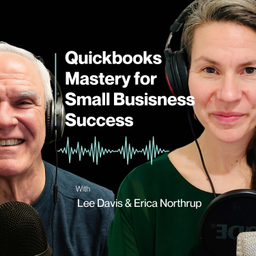
QuickBooks Mastery for Small Business Success
Erica Northrup & Lee Davis
4.7from 12 ratings
- 45
- Episodes
- 12
- Ratings
- Weekly
- Cadence
- 2025
- First episode
About QuickBooks Mastery for Small Business Success
Running a business is hard. QuickBooks shouldn’t make it harder. Welcome to QuickBooks Mastery for Small Business Success—the podcast for growth-minded small business owners who are ready to stop drowning in financial confusion and start making confident, data-driven decisions. Hosted by Lee Davis & Erica Northrup, the father-daughter duo behind Lee Davis & Company, each episode delivers practical advice, proven systems, and real-world strategies to help you clean up your QuickBooks, simplify your bookkeeping, and grow your business with clarity. Whether you’re stuck in a bookkeeping mess, unsure how to read your reports, or ready to finally outsource your financial chaos, this show gives you the tools and insight to move from overwhelm to control—one episode at a time. Because your time should be spent on your craft and building your business—not buried in spreadsheets and reconciliations. ⸻ Perfect for: • Service-based small businesses • Business owners making $750K–$2.5M annually • Entrepreneurs tired of trying to “figure out” QuickBooks on their own • Leaders who want to spend less time managing their books and more time growing Subscribe today and take the guesswork out of your numbers.
- Publisher
- Erica Northrup & Lee Davis
- Category
- business · business · education
- Language
- en
- Explicit
- No
- First episode
- 21 Nov 2025
- Latest episode
- 15 Oct 2026
Latest episodes
45 episodes in the feed.
15 Oct 2026
Episode 45- Where Did the Money Go? Why Profit and Cash Aren’t the Same Thing
Episode 45: Where Did the Money Go? Why Profit and Cash Aren't the Same Thing Your QuickBooks Profit & Loss report says your business made money. So why doesn't your bank account agree? It's one of the most frustrating questions small business owners face. Your business looks profitable on paper, but you're still worrying about payroll, upcoming bills, or whether there's enough money to cover next month's expenses. The problem may not be your profitability. It may be your cash flow. In this episode of QuickBooks Mastery for Small Business Success, Erica Northrup and Lee Davis explain the difference between profit and cash flow, where your money actually goes, and which QuickBooks reports can help you find the answers. Plus, we're sharing a free Profit vs. Cash Flow Worksheet to help you follow the money in your own business. Download the Free Profit vs. Cash Flow Worksheet (https://leedavisandcompany.com/wp-content/uploads/2026/10/LDCO_Episode_45_Profit_vs_Cash_Flow_Worksheet.xlsx) Why Profit and Cash Flow Aren't the Same Thing A profitable business can still experience a serious cash shortage. That's because your Profit & Loss statement measures income and expenses over a period of time, while your bank balance shows the cash available at a particular moment. Lee explains how several common business activities create differences between these numbers: Customers who have been invoiced but haven't paid Equipment purchases recorded as business assets Loan principal repayments Owner draws and distributions Inventory purchases that tie up working capital Noncash expenses such as depreciation You'll also learn how cash-basis and accrual-basis accounting affect your QuickBooks reports—and why switching your Profit & Loss report to cash basis doesn't necessarily explain every dollar moving through your bank account. A Practical Example: $20,000 Profit, but Only $5,000 in the Bank Erica and Lee walk through a fictional business, The New Tech Company, to demonstrate exactly how this happens. The business begins the month with $25,000 in cash and earns $100,000 in revenue. After recording $80,000 in expenses, it reports a $20,000 profit. But here's what actually happens to the cash: Cash ActivityAmount Beginning cash balance $25,000 Customer payments received +$85,000 Cash operating expenses paid -$78,000 Equipment purchased -$10,000 Loan principal repaid -$5,000 Owner equity draw -$12,000 Ending cash balance $5,000 The business also has $15,000 in unpaid customer invoices, and its reported expenses include $2,000 in noncash depreciation. The takeaway: The $20,000 profit isn't necessarily wrong, and neither is the $5,000 bank balance. They're measuring different things. Understanding the difference is how you move from wondering where the money went to making informed financial decisions. Want to see how these numbers work in your own business? Download the Episode 45 Profit vs. Cash Flow Worksheet (https://leedavisandcompany.com/wp-content/uploads/2026/10/LDCO_Episode_45_Profit_vs_Cash_Flow_Worksheet.xlsx) Our free Excel workbook includes a cash reconciliation calculator, a four-week cash forecast, Lee's example, and a practical 15-minute financial review. What You'll Learn in This Episode Profit vs. cash flow: Why profitable businesses sometimes struggle to pay their bills. Cash vs. accrual accounting: How your QuickBooks reporting method affects the numbers you see. Accounts receivable: How slow invoicing and overdue customer payments create cash shortages. Inventory and business growth: Why getting busier can actually increase your need for cash. Accounts payable: How to anticipate upcoming bills and avoid unexpected cash shortfalls. Equipment, debt, and owner draws: Why significant cash payments don't always appear as expenses on your Profit & Loss. QuickBooks financial reports: How to use your Profit & Loss, comparative Balance Sheet, Statement of Cash Flows, and aging reports together. Weekly cash forecasting: How to anticipate cash shortages before they happen. Episode Chapters & Timestamps 00:00 – Welcome to QuickBooks Mastery for Small Business Success 00:54 – Why Doesn't My QuickBooks Profit Match My Bank Balance? 01:43 – What's the Difference Between Profit, Cash, and Cash Flow? 03:55 – Cash vs. Accrual Accounting: Understanding Your Reports 06:33 – The $20,000 Profit Example: Following the Money 09:14 – Where Did the Cash Go? Common Reasons for the Difference 10:48 – Accounts Receivable: Getting Invoices Paid Faster 12:41 – Can Business Growth Actually Create Cash Flow Problems? 13:56 – Accounts Payable: Planning for Bills Before They're Due 15:25 – Equipment, Loan Payments, and Owner Draws Explained 18:41 – Which QuickBooks Reports Help Explain Your Cash Flow? 21:54 – How to Build a Simple Weekly Cash Flow Forecast 24:36 – Your 15-Minute QuickBooks Cash Flow Check 27:31 – Key Takeaways, Free Resources, and What's Coming Next 29:58 – Closing and Additional Resources Your Action Step: The 15-Minute Cash Flow Check You don't need to spend an entire day analyzing your finances to start understanding where your money went. Set aside 15 minutes this week and complete these five steps: Check your Profit & Loss. Select your last completed month, confirm the reporting dates and accounting basis, and write down your net profit or loss. Compare your cash balances. Look at the total cash across the business accounts you're reviewing at the beginning and end of that same month. Review your Statement of Cash Flows. Identify major cash movements that help explain the difference. Investigate one important item. Look at overdue invoices, inventory, equipment purchases, loan repayments, or owner withdrawals. Look ahead. Identify your next payroll, major bills, and expected customer payments. If you still can't explain the difference, ask your bookkeeper or accountant: "Can you walk me from the profit we reported to the change in our cash and show me the transactions that explain it?" That one question can lead to a much clearer understanding of your business finances. Free Resources & Helpful Links Episode 45: Profit vs. Cash Flow Worksheet Put Lee's advice into practice with our free Excel workbook. The worksheet includes: A worked example showing how $20,000 in profit can leave only $5,000 in the bank A cash reconciliation calculator A four-week cash flow forecasting template A 15-minute financial review checklist Download Your Free Profit vs. Cash Flow Worksheet (https://leedavisandcompany.com/wp-content/uploads/2026/10/LDCO_Episode_45_Profit_vs_Cash_Flow_Worksheet.xlsx) Free QuickBooks Clarity Scorecard Not sure whether your QuickBooks numbers are accurate enough to make business decisions? Start with our free QuickBooks Clarity Scorecard to identify areas that may need attention. Visit: https://leedavisandcompany.com (https://leedavisandcompany.com/) Episode 44: Building a Business Budget You'll Actually Use Learn how to create a practical business budget and compare your financial performance against your goals. Download the Episode 44 Business Budget Planning Worksheet (https://leedavisandcompany.com/wp-content/uploads/2026/10/LDCO_Episode_44_2027_Business_Budget_Planning_Worksheet.xlsx) Episode 41: Your Monthly QuickBooks Health Check Revisit the monthly financial review process discussed in this episode to help identify bookkeeping problems before they become bigger issues. QuickBooks Mastery Program Waitlist Want to become more confident using QuickBooks to understand and manage your business? Join the waitlist for our upcoming QuickBooks Mastery training program and be among the first to know when enrollment opens. Visit: https://leedavisandcompany.com (https://leedavisandcompany.com/) Coming Next: Episode 46 Are You Actually Making Money? What Your Profit & Loss Should Be Telling You Now that you understand why profit and cash aren't the same thing, we'll take a closer look at profitability itself. What is your Profit & Loss statement really telling you about your business? How can you use it to identify what's working, what's costing too much, and where you should focus next? About Lee Davis & Company At Lee Davis & Company, we help small business owners simplify QuickBooks, understand their financial reports, and make more confident business decisions. Through practical training, helpful resources, and the QuickBooks Mastery for Small...
7 Oct 2026
Episode 44: Stop Guessing: How to Build a Business Budget in QuickBooks You’ll Actually Use
Episode 44: Stop Guessing: How to Build a Business Budget in QuickBooks You’ll Actually Use Can your business afford to hire, buy equipment or expand next year? A useful budget helps you answer those questions with a plan you can actually use. In this episode of QuickBooks Mastery for Small Business Success, Erica Northrup and Lee Davis explain how to build a realistic business budget in QuickBooks—and how to use it throughout the year. Drawing on a real client budgeting project, they discuss where to begin, how to use historical Profit & Loss information, why seasonal businesses should not automatically divide annual numbers by twelve, and how your Chart of Accounts affects the usefulness of your budget. They also explore Budget vs. Actual: how to understand the story behind a variance, decide which differences need attention, and use your numbers to guide business decisions. Planning for 2027? Download the free 2027 Business Budget Planning Worksheet in the Resources section to document your assumptions, draft your monthly budget and review your results. Key Takeaways A business budget is a financial plan for what the business wants to accomplish. Begin with historical Profit & Loss information, but do not automatically turn last year’s actual numbers into next year’s budget. A useful budget reflects reasonable assumptions about revenue, pricing, costs, staffing, contracts, capacity and business changes. Ask: What has to happen operationally for this number to be true? Revenue and expenses should be placed in the months when they are actually expected to occur. Do not automatically divide every annual budget number by twelve, especially in a seasonal business. Your Chart of Accounts should support the information you actually need from the budget and Profit & Loss. Budget vs. Actual turns the budgeting process into an ongoing management tool. Being over budget is not automatically bad, and being under budget is not automatically good. The important question is why. Investigate meaningful variances rather than simply labelling them as over or under budget. Make Budget vs. Actual part of your monthly reporting process, with more frequent tracking when your business needs it. Keep the original budget intact so you can see how reality differed from what you originally expected. Budgeting becomes more useful each year as your assumptions, systems and review process improve. Questions to Reflect On What do you realistically expect revenue to be next year? What has to happen operationally for that revenue number to become reality? What costs will be required to generate that revenue? Which expenses are recurring monthly, quarterly, annually or seasonally? Are material costs, fuel, wages, rent, insurance or subscriptions changing? Are you planning new hires, equipment purchases, expansion or new services? Which months are naturally stronger or slower for your business? Does your Chart of Accounts give you the information you actually need? Which expenses have changed significantly during the past year? If revenue increases, does your business have the capacity to deliver the additional work? Which Budget-vs.-Actual differences are meaningful enough to require action? Does your current performance support the hires, purchases and goals you are considering? Chapters 00:00 QuickBooks Mastery Podcast Introduction 00:55 Episode 44: Stop Guessing — Build a Business Budget You’ll Actually Use 02:31 Does a Small Business Really Need a Formal Budget? 03:57 A Budget Is More Than a Spending Limit 05:22 Where to Start Building a Budget in QuickBooks 06:45 Why Last Year’s Numbers Are Only a Starting Point 09:07 Why You Shouldn’t Divide Your Annual Budget by 12 10:23 When Your Budget and Chart of Accounts Don’t Match 12:39 Building a Realistic Budget Instead of a Wish List 14:33 What Has to Happen for This Number to Be True? 15:06 The Real Value: QuickBooks Budget vs. Actual 16:46 Understanding the Story Behind a Budget Variance 17:44 Why Being Over Budget Isn’t Always Bad 18:28 How Often Should You Review Budget vs. Actual? 19:53 Should You Change the Budget Midyear? 21:09 The Questions to Ask During Every Budget Review 22:59 Turning QuickBooks Into a Decision-Making Tool 23:42 Your Practical First Step: Build the Budget 24:41 Focus on the Expenses That Actually Matter 25:21 Your Budgeting Homework for This Week 26:19 QuickBooks Clarity Scorecard 26:34 QuickBooks Mastery Program and Waitlist 26:56 Lee’s Final Advice on Budgeting 27:29 Episode Wrap-Up 27:45 Podcast Outro Mentioned in This Episode QuickBooks budgeting tools and Profit & Loss reports Calendar-year versus fiscal-year budgeting Historical financial information and zero-based budgeting Revenue assumptions, pricing and capacity Cost of goods sold, payroll and staffing Material, fuel, wage, rent and insurance increases Subscription and contract renewals Seasonal revenue and expenses Chart of Accounts structure, budget categories and subaccounts Budget vs. Actual reports, dollar variances and percentage variances Monthly, quarterly and more frequent budget reviews Keeping the original budget intact Using Excel as a first-draft budgeting tool The free QuickBooks Clarity Scorecard The upcoming QuickBooks Mastery program Resources Free 2027 Business Budget Planning Worksheet Work through the planning questions from this episode, document your assumptions, build a twelve-month business budget and review your Budget vs. Actual results. The editable Excel workbook includes annual calculations, a monthly Revenue and Net Profit chart, and space to explain meaningful variances and decide what action is needed. Download the free 2027 Business Budget Planning Worksheet (Excel) (https://leedavisandcompany.com/wp-content/uploads/2026/10/LDCO_Episode_44_2027_Business_Budget_Planning_Worksheet.xlsx) Episode 6: How to Create a Budget in QuickBooks Revisit our original budgeting episode for the foundations of creating and using a budget inside QuickBooks. Then use Episode 44 to go deeper into assumptions, seasonality and managing against the plan. Listen to Episode 6 (https://quickbooks-mastery.captivate.fm/episode/episode-6-how-to-create-a-budget-in-quickbooks) Free QuickBooks Clarity Scorecard If you are not confident that the numbers already sitting in QuickBooks are accurate enough to build a budget from, begin with the free QuickBooks Clarity Scorecard. Get the free QuickBooks Clarity Scorecard (https://lee-davis-and-company.aweb.page/unlock-clarity-free-scorecard) QuickBooks Mastery Program Waitlist Join the waitlist for our complete QuickBooks Mastery program and be the first to know when enrolment opens. Join the QuickBooks Mastery waitlist (https://form.jotform.com/262595210390051) More Episodes and Support Listen to QuickBooks Mastery for Small Business Success (https://quickbooks-mastery.captivate.fm/listen) Visit Lee Davis & Company (https://leedavisandcompany.com/) Questions or support: support@leedavisandcompany.com (mailto:support@leedavisandcompany.com) Your Practical Next Step Run your current year-to-date Profit & Loss and compare it with the same period from last year. Go back another year if it would help reveal longer-term trends. Look specifically at revenue, cost of goods sold, gross profit, net profit, payroll and your largest operating expenses. Then ask what you reasonably expect to change next year. Use the 2027 Business Budget Planning Worksheet to document your assumptions and build the first draft of your budget. Spread the numbers across the months when you realistically expect them to occur, then enter the plan into QuickBooks. Make Budget vs. Actual part of your regular reporting process. When the results differ from the plan, ask why—and use the answer to decide what needs to happen next. Subscribe to QuickBooks Mastery for Small Business Success, share this episode with another business owner planning for next year, and send your questions to support@leedavisandcompany.com (mailto:support@leedavisandcompany.com).
23 Sept 2026
Episode 43: Can You Actually Write That Off? Practical Tax Planning in QuickBooks
Episode 43: Can You Actually Write That Off? Practical Tax Planning in QuickBooks “Can I write this off?” may be one of the most common questions business owners ask—but the answer does not begin with the card used to make the purchase or the account selected in QuickBooks. In this episode of QuickBooks Mastery for Small Business Success, Erica Northrup and Lee Davis explain how to think more clearly about business expenses before tax season. QuickBooks can organize the financial story, but it cannot turn a personal purchase into a legitimate business expense. The transaction still needs a real business purpose, appropriate tax treatment, and records that support both the amount and the reason for the purchase. You will learn the four questions to ask before treating a purchase as a possible deduction, how the Chart of Accounts supports tax planning, and why some categories deserve extra attention. Erica and Lee walk through meals and entertainment, vehicles and mileage, equipment and fixed assets, and the split between loan principal and interest. They also clear up several common myths: a write-off does not make a purchase free, a bank statement does not necessarily prove business purpose, and buying equipment before year-end does not automatically guarantee a full current-year deduction. Finally, Erica gives you an eight-step, 15-minute expense review you can complete in QuickBooks now—while there is still time to gather records, identify questions, and speak with your bookkeeper or qualified tax professional before year-end. Key Takeaways A business expense generally needs to be ordinary and necessary for the business, with a genuine business purpose. Paying with a business account or categorizing a transaction as an expense does not determine whether it is deductible. A deduction generally reduces taxable income. It does not make the purchase free or create an automatic dollar-for-dollar refund. Before claiming an expense, ask: What did we buy? Why did the business need it? Was any part personal? What document proves the amount and business purpose? Separate business and personal activity so personal purchases do not accidentally land on the Profit & Loss. A clean Chart of Accounts gives the owner, bookkeeper, and tax professional a useful financial filing system. An LLC's federal tax filing depends on ownership, activity, and tax elections. The letters “LLC” do not automatically determine the return. Direct job costs may belong in cost of goods sold, while general overhead usually belongs in operating expenses. Qualifying business meals, including travel meals, are generally subject to a 50% limitation unless a specific exception applies. Entertainment is generally nondeductible. Mixed-use vehicles require documentation and an allocation between business and personal use. A logo on the vehicle does not replace a mileage or use record. Equipment expected to provide value beyond the current year may need to be treated as a fixed asset. The $2,500 de minimis safe harbor is conditional—not a universal automatic-expense threshold. Loan principal reduces a liability on the balance sheet; qualifying interest may be an expense. One payment can affect both the balance sheet and Profit & Loss. A bank or credit-card statement may prove payment, but it may not prove what was purchased or why it served the business. Attach receipts and record the business purpose while the transaction is fresh. Questions to Reflect On What did the business buy, and why did it need it? Was any part of the purchase personal? Do you have a receipt or invoice that shows what was purchased—not merely proof that money left the account? Does your Chart of Accounts reflect how your business actually operates? Are direct costs separated from general operating expenses where appropriate? Do meal records identify who attended and the business purpose? Do you have a reliable mileage or vehicle-use record? Are large equipment purchases supported by invoices, purchase dates, financing details, and placed-in-service information? Are loan payments separated between principal and interest? Are unusual or unclear purchases sitting in Uncategorized Expense, Ask My Accountant, or Miscellaneous Expense? What questions should you bring to your bookkeeper or tax professional before year-end? Mentioned in This Episode Ordinary and necessary business expenses. The four-question deduction test. Owner draws and personal purchases. The Chart of Accounts as a financial file cabinet. Schedule C and differing federal tax treatment for LLCs, partnerships, S corporations, and C corporations. Cost of goods sold versus operating expenses. Advertising, fees, subscriptions, insurance, professional fees, repairs, supplies, rent, utilities, travel, meals, automobile costs, interest, and depreciation. The general 50% limitation for qualifying business meals. Nondeductible entertainment and separately stated meals. Standard mileage versus actual vehicle expenses. Fixed assets, depreciation, Section 179, bonus depreciation, and the de minimis safe harbor. Loan principal versus interest. Receipts, invoices, business-purpose memos, and supporting records. The 15-Minute QuickBooks Expense Review. The free QuickBooks Clarity Scorecard. The upcoming QuickBooks course. Recommended Resources Download the 15-Minute QuickBooks Expense Review (https://leedavisandcompany.com/wp-content/uploads/2026/09/Episode_43_15_Minute_QuickBooks_Expense_Review.pdf) Free QuickBooks Clarity Scorecard (https://lee-davis-and-company.aweb.page/unlock-clarity-free-scorecard) Listen to QuickBooks Mastery for Small Business Success (https://quickbooks-mastery.captivate.fm/listen) Lee Davis & Company (https://leedavisandcompany.com/) QuickBooks training and course information (https://leedavisandcompany.com/_training/) Questions or support: support@leedavisandcompany.com (mailto:support@leedavisandcompany.com) IRS Publication 583: Starting a Business and Keeping Records (https://www.irs.gov/publications/p583) IRS Publication 463: Travel, Gift, and Car Expenses (https://www.irs.gov/publications/p463) IRS guidance on tangible-property regulations (https://www.irs.gov/businesses/small-businesses-self-employed/tangible-property-final-regulations) IRS guidance on records to keep (https://www.irs.gov/businesses/small-businesses-self-employed/what-kind-of-records-should-i-keep) Timestamps 00:00 - QuickBooks Mastery Podcast Intro 00:56 - Episode 43: Can You Actually Write That Off? 02:46 - Important U.S. Tax Disclaimer 03:24 - What Makes a Write-Off Legitimate? 08:25 - What Makes a Business Expense Deductible? 09:57 - How the Chart of Accounts Supports Tax Planning 16:05 - Meals, Travel, and Entertainment 19:39 - Vehicles and Mileage 22:57 - Equipment and Fixed Assets 26:50 - Loan Principal Versus Interest 29:26 - Six Common Deduction Myths 31:28 - Records That Support a Deduction 33:11 - The Practical Habit to Begin This Week 33:56 - The 15-Minute QuickBooks Expense Review 37:06 - Why Deductions Begin Before Tax Time 37:39 - Clarity Scorecard, Course Waitlist, and Questions 38:45 - Final Sign-Off 38:55 - Podcast Outro Call to Action Open QuickBooks, set a timer for 15 minutes, and complete the expense review from this episode. You are not trying to prepare your tax return or reclassify every questionable transaction. You are identifying the places where the records, categories, or business purpose need more attention. [Download the 15-Minute QuickBooks Expense Review](ADD PDF DOWNLOAD URL AFTER UPLOAD), then take your question list to your bookkeeper or qualified tax professional before year-end. If you are unsure whether your QuickBooks can give you the information you need, begin with the free QuickBooks Clarity Scorecard (https://lee-davis-and-company.aweb.page/unlock-clarity-free-scorecard). Email support@leedavisandcompany.com (mailto:support@leedavisandcompany.com) with your QuickBooks questions, subscribe to QuickBooks Mastery for Small Business Success, and share this episode with another business owner who has ever wondered, “Can I write this off?” This episode provides general educational information for United States small-business owners. Tax rules depend on the facts, entity, activity, elections, and tax year involved. Consult your own qualified tax professional before making tax decisions.
Reach and audience
Public platform figures. Ratings count people who left a rating, not total listeners.
- Apple Podcasts (US)
- 4.6 / 5
- 9 ratings
- Spotify
- 5.0 / 5
- 3 ratings
Contact QuickBooks Mastery for Small Business Success
- Guest appearances
- Books guests
Based on episode analysis; this does not confirm that the show is currently accepting guests.
Shows with a similar audience


Host of QuickBooks Mastery for Small Business Success?
Claim your podcast to manage its listing and keep your show details accurate.
Pod Engine is an independent podcast discovery and analytics service and is not affiliated with or endorsed by this podcast. Artwork and show content belong to their owners. Full legal notice.
Explore this show
Podcast research with Pod Engine