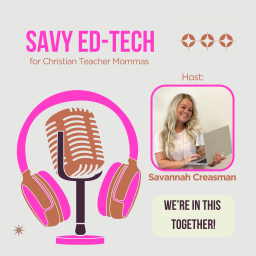
Podcast thumbnail for Savy Ed-Tech

Savy Ed-Tech

Claim This Podcast

by Savannah Creasman

6 episodes
Updated Daily
Accepts GuestsHas SponsorsLocation 🇺🇸

Podcast Overview

Welcome to Mamas in Ed-Tech—the podcast for educator moms who are juggling lesson plans, little ones, and a love for technology! Hosted by Savannah, a mama and passionate, Google Certified, edtech enthusiast. This show is your go-to space for bite-sized tech tips, time-saving tools, productivity hacks, and faith-filled encouragement. Whether you’re a teacher, coach or an administrator you’ll find relatable stories, helpful strategies, and spiritual refills to support in both your career and your home. Each episode includes practical edtech advice, motherhood insights, and encouragement that will reboot your spirit and keep you centered in grace. Mama, you are not alone on this journey. Whatever season of life you’re in, we’re in this together! If you are not a mom or not a mama yet, I hope you know you’re welcome here too! Feel free to send a question or comment to my email: Savannah@savyed-tech.com

Language

🇺🇲

Publishing Since

8/5/2025

1 verified contact email on file for Savy Ed-Tech

Pitch yourself as a guest, propose sponsorships, or reach out directly to the host.

Recent Episodes

Episode thumbnail for 6. I'm So Blessed...And Google Obsessed

August 27, 2025

6. I'm So Blessed...And Google Obsessed

<p>This week I am talking about <strong>Google Tips</strong> <strong>that can help you stay focused</strong> and on task...leading to better productivity!</p><p>I will also be talking about the importance of focusing on your blessings...(referencing the song "I'm So Blessed" by Cain.) rather than whatever hard time you may be going through or facing.</p><p><strong>Link to the song I'm so Blessed by Cain: </strong>https://open.spotify.com/track/2C0CRs9cwkD8VABHxrBkEd?si=m6ITgNSVTAeO7rKLIjgYVg</p><p>Lastly, I will be going deep into my birth experience with my little boy (now 2.5) and sharing some details for our future baby girl's birth next month! </p><p>Below are some helpful tips to look back on in writing: (Coming Soon)</p><ul><li><strong>Embedding a youtube video so that it opens in full screen with little, or no, ads: </strong></li></ul><br/><p>*FInd the word watch in the url. In between the "h" in the word watch and the "?", type the following... _popup and then click the button enter on your keyboard.</p><p><u>Example:</u> Below is an original youtube video URL- </p><p>https://www.youtube.com/watch?v=lv06kmydeUA</p><p><u>Next URL: </u>https://www.youtube.com/watch<strong>_popup</strong>?v=lv06kmydeUA ...Then hit enter.</p><p><u>New URL after you have hit enter: </u>https://www.youtube.com/embed/lv06kmydeUA</p><ul><li><strong>How to make a Google Slideshow open up in present mode automatically:</strong></li></ul><br/><p>*<u>1st Way</u> is by Publishing it to the Web... Go to "file" -&gt; Share -&gt; Publish to the web</p><p>*<u>2nd Way</u> is by changing the URL to preview... Find the word edit in the url address bar. Delete it and everything after it and replace it with the word previous. Hit enter on your keyboard. Share that link. (If you do this, you may want to go back into your share settings of that document and make sure that only you, or certain people, can edit.)</p><ul><li><strong>How to bookmark a single website and only the website icon appears in your bookmarks bar:</strong></li></ul><br/><p>*Create the bookmark by clicking on the star near the top right of the chrome webpage. In the spot where it says "Name," delete everything and hit enter. (You can drag the icon wherever you want it to appear in your bookmarks bar.)</p><ul><li><strong>Emoji keyboard shortcuts.... </strong></li></ul><br/><p> <strong> </strong><u>-Desktop/laptop: </u>Windows Key and then a period</p><p> <u>-Chromebook: </u>At the same time, press the search key, the shift key and the space bar.</p><ul><li><strong>Consider trying workspaces in Google Drive! </strong></li></ul><br/><p>*Go to your Google Drive and look for workspaces on the left hand side to get started!</p><ul><li><strong>How to reopen a tab, or window, that was closed accidentally:</strong></li></ul><br/><p>*Use Keyboard shortcut: Ctrl -&gt;Shift -&gt; T</p><p><br></p>

Episode thumbnail for 5. Keep Your Head Up...with Prayer and Google Keep

August 19, 2025

5. Keep Your Head Up...with Prayer and Google Keep

<p>Hey hey!</p><p>Today’s episode is all about keeping our heads up—both in the classroom and in our personal lives. This week’s tool is for everyone! A teacher, children’s church worker, and a mom with all her many roles! We’ll be talking about a Google tool that is often overlooked, Google Keep, and how it can help us stay organized as teachers and as moms. And then we’ll shift to how prayer is the ultimate way to ‘keep our heads up’ no matter what we’re facing. </p><p>Feel free to use these Google Keep Header Images: https://drive.google.com/drive/folders/1OkpEpS5RHi5Wz-38NpcUnJLvFseJNfpq?usp=sharing </p><p>Google Doc with the 5 prayer topics for your kids, your spouse and your students: https://docs.google.com/document/d/1H3eAvCDm7pxb7XcvHgApoXCMsF0TrsokyscVSb8XbAo/edit?usp=sharing </p>

Episode thumbnail for 4. Lemonade...Class Lists and Canva Bulk Create

August 12, 2025

4. Lemonade...Class Lists and Canva Bulk Create

<p><strong>I am HYPE for this episode!</strong></p><p>In this episode, we're talking what to do when life hands you lemons, the artist <strong>Forrest Frank</strong>, as well as how to use <strong>Canva's Bulk Create</strong> feature that will save you so much time!</p><p>Here are some ways and <strong>ideas to use the Bulk Create feature</strong> in and out of the classroom! https://docs.google.com/document/d/1Ywr6X6KCRGpY2uvd3EIE_jSNjY8n8ezKPHx3QVkWRFM/view?tab=t.0 </p><p>Want a <strong>homework folder/binder cover </strong>to use and/or practice using Bulk Create with on your own? Check this out here! </p><p>https://www.canva.com/design/DAGvc0vCszQ/ZawC9hRP8LSH6EpuKLTUmA/view?utm_content=DAGvc0vCszQ&amp;utm_campaign=designshare&amp;utm_medium=link&amp;utm_source=publishsharelink&amp;mode=preview</p><p>Here are some links to <strong>Instagram </strong>videos by Forrest Frank:</p><p>"<strong>Turning Lemons into Lemonade</strong>" original post: https://www.instagram.com/reel/DMbWBYghQ5b/?igsh=emZib3IyN213ZHBk </p><p>The <strong>two guys</strong> that made the song: https://www.instagram.com/reel/DMeQgS1JQjw/?igsh=MWIyOWNhajlkaW1vYQ== </p><p>They <strong>wrote the song</strong>!: https://www.instagram.com/reel/DMyBEw_PWX_/?igsh=MXJ5ZDZ3cHZ2dzlmNw==</p><p>Back is <strong>HEALED</strong>!: https://www.instagram.com/reel/DM4AEFMJF7c/?igsh=MXU2emRzcG56b2UxbA== </p><p><strong>Link to the song</strong> <strong>Lemonade</strong>: https://open.spotify.com/track/6P7tj3Pkm6iXlnZmGiS1VS?si=wEsb_8ZQRJ2kawXDHzTOBw </p><p><br></p>

6 total episodes available

Deep-dive analytics for Savy Ed-Tech

Frequently asked questions

Have a different question and can't find the answer you're looking for? Reach out to our support team by sending us an email and we'll get back to you as soon as we can.

What is Savy Ed-Tech?

Welcome to Mamas in Ed-Tech—the podcast for educator moms who are juggling lesson plans, little ones, and a love for technology! Hosted by Savannah, a mama and passionate, Google Certified, edtech enthusiast. This show is your go-to space for bite-sized tech tips, time-saving tools, productivity hacks, and faith-filled encouragement.

Whether you’re a teacher, coach or an administrator you’ll find relatable stories, helpful strategies, and spiritual refills to support in both your career and your home. Each episode includes practical edtech advice, motherhood insights, and encouragement that will reboot your spirit and keep you centered in grace.

Mama, you are not alone on this journey. Whatever season of life you’re in, we’re in this together! If you are not a mom or not a mama yet, I hope you know you’re welcome here too!

Feel free to send a question or comment to my email: Savannah@savyed-tech.com

How often does this podcast release new episodes?

This podcast updates daily.

Where can I listen to this podcast?

This podcast is available on 9 platforms including Apple Podcasts, Spotify, and more. You can also use the RSS feed directly.

Does this podcast accept guests?

No, this podcast does not typically feature guests.

Legal Disclaimer

Pod Engine is not affiliated with, endorsed by, or officially connected with any of the podcasts displayed on this platform. We operate independently as a podcast discovery and analytics service.

All podcast artwork, thumbnails, and content displayed on this page are the property of their respective owners and are protected by applicable copyright laws. This includes, but is not limited to, podcast cover art, episode artwork, show descriptions, episode titles, transcripts, audio snippets, and any other content originating from the podcast creators or their licensors.

We display this content under fair use principles and/or implied license for the purpose of podcast discovery, information, and commentary. We make no claim of ownership over any podcast content, artwork, or related materials shown on this platform. All trademarks, service marks, and trade names are the property of their respective owners.

While we strive to ensure all content usage is properly authorized, if you are a rights holder and believe your content is being used inappropriately or without proper authorization, please contact us immediately at hey@podengine.ai for prompt review and appropriate action, which may include content removal or proper attribution.

By accessing and using this platform, you acknowledge and agree to respect all applicable copyright laws and intellectual property rights of content owners. Any unauthorized reproduction, distribution, or commercial use of the content displayed on this platform is strictly prohibited.